

Invoice Automation Software Checklist: Advanced AR Automation at Blixo

Introduction to Invoice Automation Software
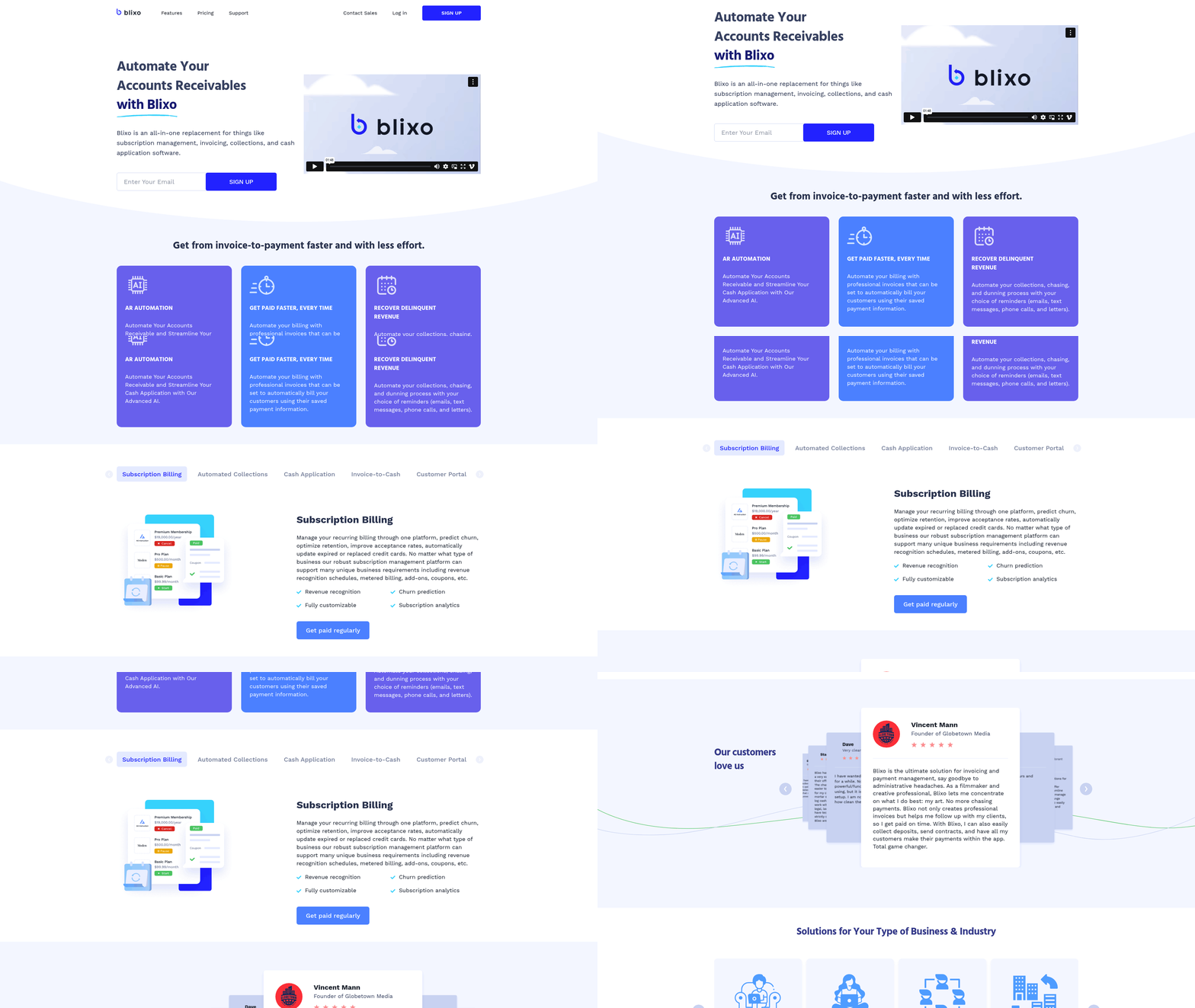
Invoice automation software is a technology solution designed to streamline the creation, delivery, and tracking of invoices while integrating with broader accounts receivable (AR) processes. It replaces manual workflows with automated systems that handle tasks such as invoicing, subscription management, collections, and cash application [1]. By centralizing these functions, the software reduces errors, accelerates payment cycles, and provides real-time visibility into cash flow [3]. For businesses managing recurring revenue models—such as subscription-based services—this automation ensures consistent billing and minimizes revenue leakage [6]. The core value of invoice automation lies in its ability to unify fragmented processes into a single platform, a capability explicitly highlighted in Blixo’s design as an all-in-one AR solution [7].
Key Benefits of Invoice Automation
- Reduces manual effort by automating repetitive tasks like invoice generation and payment reminders, allowing teams to focus on strategic priorities [4].
- Improves payment accuracy through standardized templates and automated validation rules, which decrease disputes and delays [2].
- Enhances cash flow visibility by consolidating data from invoicing, payments, and collections into a unified dashboard [2]. See the Benefits of Implementing Invoice Automation Software section for more details on how this visibility impacts decision-making.
- Strengthens collections via AI-driven dunning workflows that prioritize high-risk accounts and send targeted reminders [4]. Building on concepts from the Key Features of Advanced AR Automation section, platforms like Blixo leverage AI to further refine these workflows.
Target Audience for Invoice Automation
Invoice automation software is ideal for businesses with high transaction volumes, complex billing requirements, or recurring revenue streams. Subscription-based companies, such as SaaS providers or media platforms, benefit from automated invoicing for recurring payments and subscription lifecycle management [6]. Similarly, industries like construction, which face challenges in tracking project-based invoicing and late payments, gain efficiency through tools like Blixo’s AR automation [2]. Small to mid-sized enterprises (SMEs) with limited accounting teams also leverage these systems to scale operations without proportional increases in labor [3]. The software’s adaptability makes it suitable for any organization aiming to reduce manual AR tasks while improving compliance with billing regulations [7].
Integration with Advanced AR Automation
Invoice automation is a cornerstone of advanced accounts receivable automation, which extends beyond invoicing to include cash application and collections. Blixo’s platform, for instance, connects invoice generation with automated collections workflows, ensuring that unpaid invoices trigger immediate follow-ups without human intervention [4]. This integration is critical for maintaining healthy cash flow, as delayed collections can disrupt financial planning [7]. By embedding AI into invoice automation, platforms like Blixo analyze payment patterns to predict delinquencies and adjust dunning strategies dynamically [2]. Such features are particularly valuable for businesses managing large customer bases where manual monitoring is impractical [4].
Compliance and Scalability
Compliance with tax regulations and billing standards is another cornerstone of invoice automation. Automated systems enforce consistent formatting, tax calculations, and audit trails, reducing the risk of non-compliance [7]. For businesses operating in regulated industries, this ensures invoices meet legal requirements while minimizing the need for manual reviews [3]. Scalability is equally important; as companies grow, invoice automation software adapts to increased transaction volumes without compromising performance. Blixo’s architecture, for example, supports businesses expanding into new markets by handling multi-currency invoicing and localized payment methods [6].
Preparing for Implementation
Before adopting invoice automation software, businesses must assess their existing AR workflows to identify pain points. Key considerations include the complexity of billing models, the volume of transactions, and the need for integration with existing financial systems [1]. Stakeholders should also evaluate whether the software supports customization, such as tailored invoice templates or automated approval workflows [6]. As mentioned in the Best Practices for Implementing and Integrating Invoice Automation Software section, training teams on the new platform is essential to maximize adoption and ensure all users understand features like real-time dashboards and AI-driven collections [2]. By aligning software capabilities with business goals, organizations can achieve measurable improvements in efficiency and customer satisfaction [3].
Key Features of Advanced AR Automation
AI-Powered Cash Application
- Blixo leverages AI to automate cash application, eliminating manual data entry and reducing errors by accurately matching payments to invoices [1][2]. This ensures real-time cash flow visibility from a single source of truth, critical for businesses needing immediate financial insights [2]. See the Benefits of Implementing Invoice Automation Software section for more details on how this visibility accelerates decision-making. The AI also proactively identifies discrepancies, such as overpayments or underpayments, streamlining reconciliation processes [5].
Integration with End-to-End AR Workflows
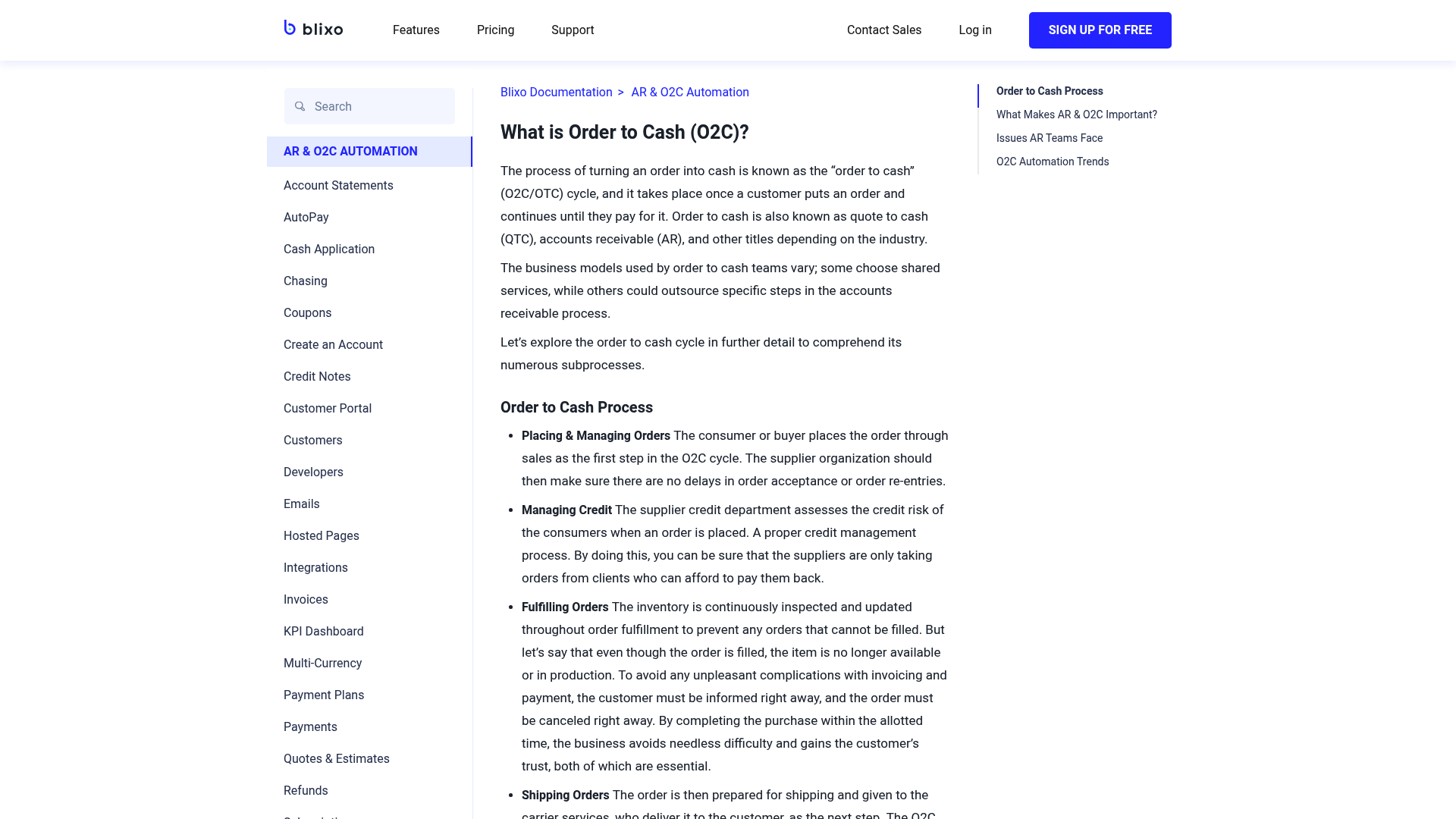
- Blixo unifies invoicing, collections, cash application, and subscription management into a single platform, replacing fragmented tools and ensuring data consistency across processes [1][7]. This integration reduces data silos and manual reconciliation, allowing teams to focus on strategic tasks rather than operational inefficiencies [3]. For example, construction firms benefit from real-time cash flow tracking while managing complex, project-based billing scenarios [2]. Building on concepts from the Real-World Applications and Success Stories of Invoice Automation Software section, this feature demonstrates how industry-specific needs are addressed through unified workflows.
Scalability and Industry Adaptability
- The platform’s modular design supports scalability, adapting to industries like construction, SaaS, and professional services with minimal configuration [2][6]. Advanced AR automation scales with business growth, handling increased transaction volumes without compromising speed or accuracy [1]. This flexibility is critical for companies managing both one-time and recurring revenue streams [3]. As outlined in the Checklist for Evaluating Invoice Automation Software section, supporting diverse revenue models is a core functional requirement for effective AR automation.
Benefits of Implementing Invoice Automation Software
- Automation of repetitive tasks such as invoicing, payments, and cash application minimizes manual order entry, freeing staff to focus on strategic priorities [7]. For example, Blixo’s AI-driven tools handle collections and dunning automatically, reducing time spent on follow-ups [4]. See the Key Features of Advanced AR Automation section for more details on Blixo’s AI capabilities.
- Faster invoice processing ensures quicker payment cycles by streamlining workflows, which is critical for industries like construction where cash flow timing impacts project timelines [2]. Building on concepts from the Real-World Applications and Success Stories of Invoice Automation Software section, construction firms benefit from these efficiencies.
-
Initial setup complexity may require configuration of workflows and rules, though Blixo’s documentation provides guidance for implementation [7]. As mentioned in the Best Practices for Implementing and Integrating Invoice Automation Software section, assessing existing AR processes is crucial to address such challenges proactively.
-
Integration with existing systems (e.g., ERP, accounting software) ensures smooth adoption without requiring extensive training or process overhauls [7]. See the Checklist for Evaluating Invoice Automation Software section for more details on integration requirements.
Checklist for Evaluating Invoice Automation Software
Core Functional Requirements
- As mentioned in the Introduction to Invoice Automation Software section, verify the software supports end-to-end invoice automation, including subscription management, invoicing, collections, and cash application, as Blixo is explicitly described as an all-in-one solution [3].
- Confirm the platform can handle recurring billing workflows, a key feature for subscription-based businesses emphasized in Blixo’s documentation [6].
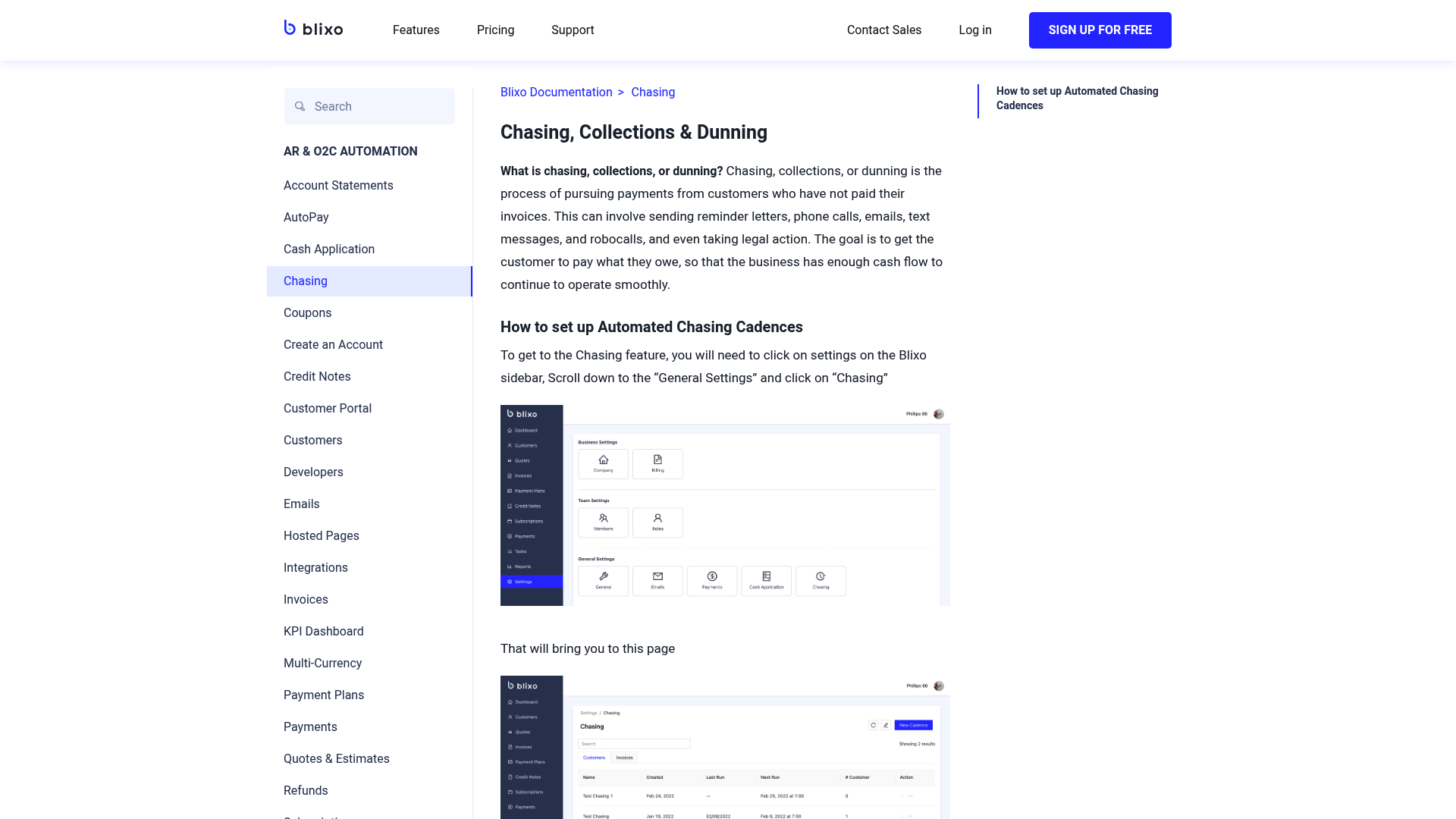
- Ensure the software offers automated dunning management to reduce manual follow-ups, a capability explicitly highlighted in Blixo’s automated collections features [4].
Integration Capabilities
- Building on concepts from the Best Practices for Implementing and Integrating Invoice Automation Software section, ensure compatibility with existing accounting software (e.g., QuickBooks, Xero) and payment processors (e.g., Stripe, PayPal), as Blixo is noted to integrate with such systems [1][6].
- Verify API availability for custom integrations, though specific API endpoints or documentation references are not provided in sources [6].
- Test seamless data synchronization between the invoice automation tool and ERP systems, a key consideration for maintaining accurate financial records [1].
Security and Compliance
- Confirm the platform uses encryption for data at rest and in transit, a critical factor for protecting financial information, though explicit technical details are not provided in sources [3].
- Validate compliance with industry standards such as PCI-DSS for payment processing, though specific certifications are not detailed in available materials [3].
- Review access control mechanisms to ensure role-based permissions are available, a common requirement for financial systems though not explicitly mentioned in sources [1].
Best Practices for Implementing and Integrating Invoice Automation Software
- Assess existing accounts receivable (AR) processes to identify gaps and inefficiencies before implementing invoice automation. This ensures the software aligns with current workflows and addresses specific pain points like manual invoicing or delayed collections [3]. As mentioned in the [Introduction to Invoice Automation Software] section, understanding core functionalities helps align automation with AR needs.
- Align implementation goals with business objectives, such as reducing Days Sales Outstanding (DSO) or improving cash application accuracy. Blixo’s integration with subscription billing and collections tools supports these goals by consolidating AR functions [6].
- Communicate changes to stakeholders across departments, including finance, sales, and IT, to ensure buy-in and minimize resistance. Clear communication helps teams adapt to new automation workflows [1].
…
- Test integrations with existing systems, such as ERPs or CRMs, to ensure seamless data flow. Blixo’s all-in-one platform requires verifying compatibility with external tools during the implementation phase [6]. See the [Checklist for Evaluating Invoice Automation Software] section for more details on core functional requirements like integration capabilities.
…
- Track key performance indicators (KPIs) like DSO, payment accuracy rates, and automation efficiency. Blixo’s AR automation tools are designed to reduce DSO by streamlining billing and collections [2]. Building on concepts from the [Benefits of Implementing Invoice Automation Software] section, monitoring DSO reflects efficiency gains from automation.
Common Challenges and Solutions in Invoice Automation
- Validate data accuracy during migration to avoid errors in invoice processing. Blixo emphasizes the importance of verifying historical invoice data against existing records to ensure consistency, especially when transitioning from legacy systems [3]. As mentioned in the [Checklist for Evaluating Invoice Automation Software] section, this step aligns with verifying core functional requirements for end-to-end automation.
- Leverage Blixo’s support team for structured migration planning. The platform recommends collaborating with dedicated technical specialists to map data fields and resolve discrepancies before full deployment [3].
- Test migration workflows in a sandbox environment. Blixo’s documentation highlights the need for staged testing to identify integration gaps or formatting issues early [7].
System Integration Issues
- Ensure compatibility with existing accounting software. Blixo integrates with platforms like QuickBooks and Xero, but custom configurations may be required for niche systems, as noted in their AR automation overview [1]. See the [Key Features of Advanced AR Automation] section for details on pre-built API integrations.
- Use pre-built APIs for payment gateway connections. The platform supports seamless linking to Stripe and PayPal, reducing manual reconciliation efforts, according to its subscription billing documentation [6].
- Address middleware conflicts in multi-system environments. Blixo advises auditing current workflows to isolate integration points where automation might interfere with legacy processes [2].
User Adoption Strategies
- Provide role-specific training for finance teams. Blixo’s product team, led by Minh Nguyen, prioritizes intuitive interfaces but still recommends onboarding sessions to address user resistance [5]. Building on concepts from the [Best Practices for Implementing and Integrating Invoice Automation Software] section, role-based training is critical for successful change management.
- Customize dashboards to highlight key performance indicators (KPIs). Tailoring views for accounts receivable staff improves engagement, as demonstrated in case studies of construction industry clients [2].
- Establish feedback loops during rollout. Blixo’s AR automation features include user analytics to track adoption rates and pinpoint training needs [3].
Cross-Functional Coordination
- Align invoice automation with compliance standards. Blixo’s documentation stresses the need to validate tax rules and currency settings during setup, particularly for global clients [7]. The [Checklist for Evaluating Invoice Automation Software] section outlines core functional requirements, including compliance validation.
- Coordinate with IT teams for cybersecurity protocols. Data encryption and access controls must be reviewed to meet internal security policies, per Blixo’s AR automation guidelines [3].
- Document process changes for audit readiness. Blixo recommends maintaining records of workflow adjustments to streamline compliance reviews and troubleshooting [2].
Real-World Applications and Success Stories of Invoice Automation Software
Industry-Specific Applications
- Construction industry AR automation: Blixo streamlines billing for construction firms by providing real-time cash flow visibility and AI-driven collections, reducing manual tracking [2]. This eliminates fragmented workflows common in industries with complex, project-based invoicing [2]. As mentioned in the Key Features of Advanced AR Automation section, Blixo’s AI-powered cash application enhances accuracy in payment matching [2].
- Subscription billing management: Blixo consolidates subscription management, invoicing, and cash application into a single platform, simplifying recurring revenue workflows for SaaS companies [3][6]. Customized signup pages further enhance client onboarding, reducing friction during enrollment [6]. For more details on integration requirements, see the Checklist for Evaluating Invoice Automation Software section.
Testimonials and User Feedback
- Positive user experience: Businesses highlight Blixo’s intuitive interface, which eliminates the complexity of traditional AR tools, enabling faster adoption and reduced training time [3]. One testimonial notes, “Most AR tools feel unnecessarily complicated. Blixo actually works” [2].
- Client engagement improvements: Clients report higher satisfaction with streamlined billing processes, as Blixo’s automated dunning and transparent payment portals reduce disputes and confusion [4]. For example, construction firms using Blixo observed fewer payment delays due to real-time updates shared with stakeholders [2].
Performance Improvements and Benchmarks
- Real-time cash flow tracking: Blixo’s single source of truth allows businesses to monitor cash flow in real time, improving financial decision-making [2]. See the Benefits of Implementing Invoice Automation Software section for more details on how real-time visibility reduces manual tracking [2]. While specific benchmarks are not disclosed, users note reduced days sales outstanding (DSO) compared to legacy systems [3].
- Automated collections efficiency: AI-powered chasing reduces manual follow-ups, accelerating payment cycles, though specific metrics are not disclosed in public sources [2]. Construction firms using Blixo’s platform reported a measurable decrease in administrative overhead tied to collections [2].
Cross-Industry Benefits
- Scalability for diverse sectors: Blixo’s platform adapts to industries ranging from construction to SaaS, offering tailored workflows while maintaining centralized control over accounts receivable [2][6]. This flexibility is attributed to its modular design, which avoids the “one-size-fits-all” limitations of older software [3]. For more details on integration requirements, see the Checklist for Evaluating Invoice Automation Software section.
- Integration with existing systems: Businesses leverage Blixo’s compatibility with ERPs and CRMs to unify financial data without overhauling existing infrastructure [6]. For example, subscription-based companies integrate Blixo with their customer portals to automate recurring billing while retaining custom branding [6].
Limitations and Considerations
- Dependence on data quality: Like all automation tools, Blixo’s effectiveness hinges on accurate input data. Users with inconsistent invoicing practices may face initial challenges in migrating to automated workflows [2].
- Learning curve for advanced features: While the core interface is user-friendly, advanced customization options for dunning rules or payment terms require technical setup, which some non-technical teams may find complex [6].
By addressing these considerations and leveraging Blixo’s strengths in automation and integration, businesses across industries have achieved measurable improvements in efficiency and client satisfaction.
Future of Invoice Automation Software and Emerging Trends
-
Implement AI-driven invoice classification to enhance accuracy in processing unstructured data from diverse invoice formats. Blixo’s current automation streamlines accounts receivable workflows [3], and integrating AI could further reduce manual intervention by automatically categorizing line items and validating data against contracts or purchase orders. As mentioned in the Key Features of Advanced AR Automation section, AI already plays a role in Blixo’s cash application processes, suggesting a foundation for expanding AI capabilities.
-
Leverage machine learning for anomaly detection to flag discrepancies in invoicing patterns. By analyzing historical payment data, ML models could identify irregularities such as duplicate invoices or mismatched payment terms, reducing errors and fraud risks [1]. This aligns with Blixo’s focus on automated collections and dunning [4], where predictive insights could prioritize high-risk accounts.
-
Deploy predictive analytics to forecast cash flow by analyzing payment trends and client behavior. Blixo’s automated dunning system [4] already targets delinquent accounts; predictive models could extend this by anticipating delays and adjusting collection strategies in advance. See the Benefits of Implementing Invoice Automation Software section for more details on how real-time cash flow visibility enhances decision-making.
-
Ensure compliance with evolving regulatory standards for data privacy and blockchain transactions. As invoice automation software handles sensitive financial data, Blixo’s current security measures [1] must adapt to new requirements, particularly when deploying AI or decentralized systems. Building on concepts from the Common Challenges and Solutions in Invoice Automation section, addressing regulatory compliance proactively can mitigate risks during technology integration.
-
Assess the feasibility of blockchain integration. No sources confirm Blixo’s exploration of blockchain, and its technical compatibility with subscription billing models [6] remains speculative without further details.
References
[1] Blixo - Accounts Receivable Automation & Subscription Billing - https://blixo.com/
[2] Construction AR Automation - Streamline Building Industry Billing … - https://blixo.com/construction-ar-automation
[3] Blixo: Accounts receivable automation to help companies get paid … - https://www.ycombinator.com/companies/blixo
[4] Automated Collections, Chassing & Dunning - Blixo - Subscription … - https://blixo.com/automated-collections
[5] Minh Nguyen - Head of Product @ Blixo (YC S21) | Fintech Product … - https://vn.linkedin.com/in/minhnguyen14
[6] Blixo - Subscription Billing & Accounts Receivable Automation - https://blixo.com/subscription-billing
[7] Blixo Documentation - Blixo Documentation - https://blixo.com/docs
Frequently Asked Questions
1. How does invoice automation software differ from traditional invoicing methods?
Traditional invoicing relies on manual processes like creating invoices via email, tracking payments in spreadsheets, and sending reminders manually. Invoice automation software centralizes these tasks with features like automated invoice generation, real-time payment tracking, and AI-driven reminders. This reduces errors, accelerates payment cycles, and frees teams to focus on strategic work. Unlike manual methods, automation ensures consistency and minimizes revenue leakage through standardized workflows.
2. Which industries benefit the most from invoice automation?
Industries with high transaction volumes, recurring revenue models, or complex billing needs gain the most. Subscription-based businesses (e.g., SaaS, media platforms) automate recurring billing and subscription lifecycle management. Construction firms streamline project-based invoicing and late payment tracking. Small to mid-sized enterprises (SMEs) with limited accounting teams also benefit by scaling operations efficiently. Blixo’s platform, for example, caters to both niche sectors and broad use cases, making it adaptable to diverse business needs.
3. Can invoice automation handle complex recurring billing scenarios?
Yes, advanced platforms like Blixo support tiered pricing, prorated charges, and multi-month contracts. They also manage usage-based billing for services like cloud storage or software licenses, ensuring accurate invoicing for variable usage. Automation ensures consistent billing cycles, reduces disputes over missed charges, and simplifies customer onboarding for subscription models. This is critical for businesses like SaaS providers, where recurring revenue accuracy directly impacts cash flow.
4. How does AI enhance collections in platforms like Blixo?
AI-driven dunning workflows analyze payment patterns to flag high-risk accounts and prioritize reminders. For example, Blixo uses machine learning to send personalized, time-sensitive alerts based on a customer’s payment history. It also predicts late payment trends, enabling proactive outreach and reducing days sales outstanding (DSO). This contrasts with generic, one-size-fits-all reminders, making collections more efficient and customer-friendly.
5. What security measures are in place for invoice automation software?
Reputable platforms employ end-to-end encryption for data transmission, multi-factor authentication, and role-based access controls to protect sensitive financial information. Compliance with standards like SOC 2, GDPR, and PCI-DSS ensures data privacy and regulatory adherence. Additionally, regular security audits and threat monitoring are standard practices to prevent breaches. For instance, Blixo’s architecture prioritizes data integrity, making it suitable for industries handling sensitive customer and financial records.
6. Can invoice automation software integrate with existing accounting systems?
Yes, most platforms offer seamless integration with accounting systems like QuickBooks, Xero, and SAP. This allows real-time syncing of invoice data, payment receipts, and reconciliation, eliminating manual data entry. For example, Blixo’s API enables businesses to connect their automation workflows with existing ERP or CRM tools, ensuring a unified view of financial operations without duplicating efforts.
7. What are the cost implications of implementing such software?
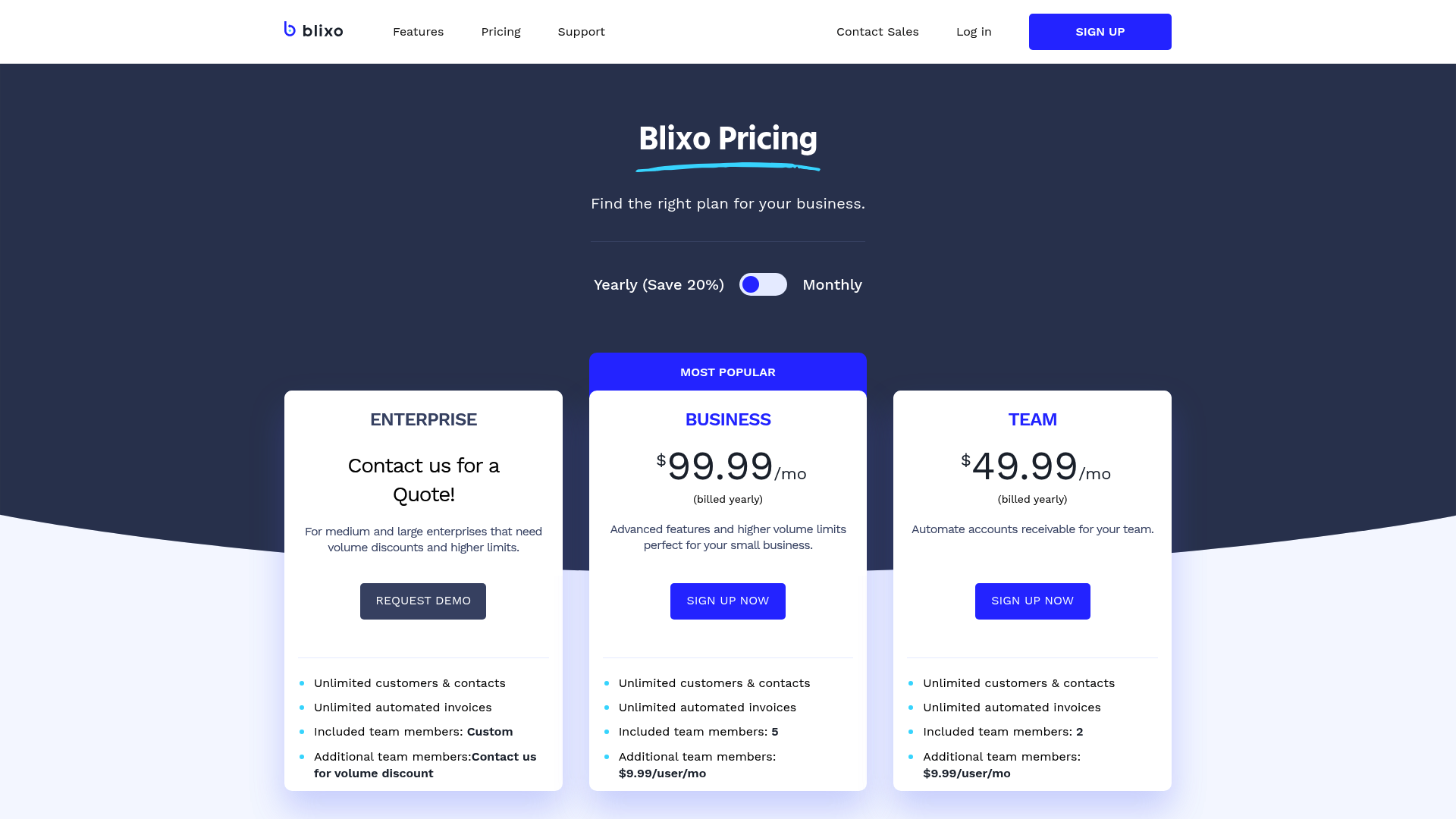
Costs vary based on features, user count, and transaction volume. While initial setup may involve licensing fees or integration costs, the ROI often materializes through reduced labor expenses (e.g., fewer hours spent on manual invoicing), faster collections, and lower error rates. Many platforms offer tiered pricing models, making it scalable for SMEs. For example, Blixo’s all-in-one solution bundles AR automation, dunning, and reporting, reducing the need for multiple tools and optimizing long-term operational costs.