

How to Optimize Automated Payment with Blixo

Understanding Automated Payment with Blixo
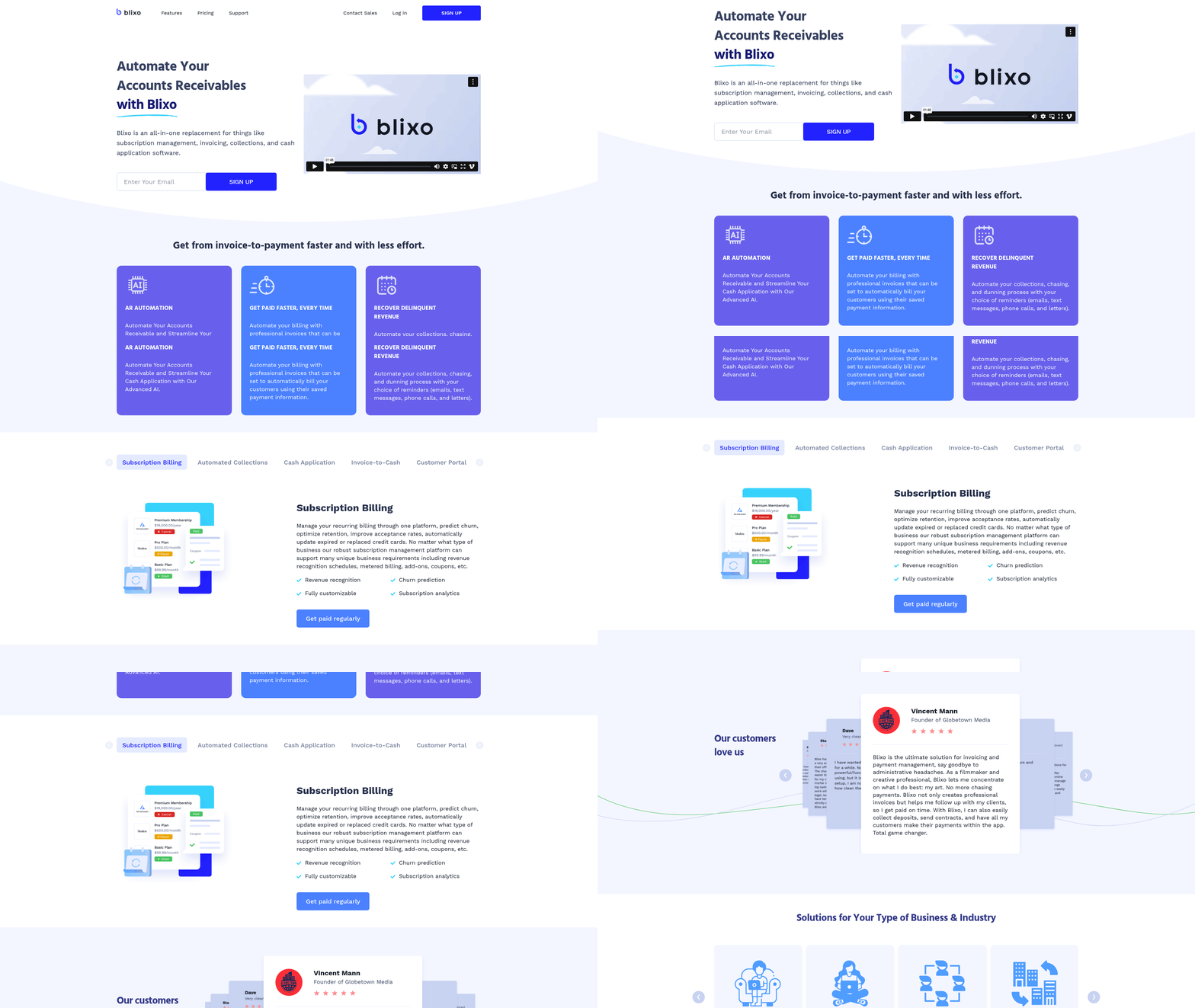
Automated payment systems streamline financial workflows by digitizing processes such as invoicing, payment collection, and accounts receivable (AR) management. These systems reduce manual effort by automating recurring tasks, ensuring payments are processed faster, and minimizing errors in financial operations [1]. For businesses managing subscriptions or accounts receivable, automation provides tools to predict customer behavior, recover delinquent revenue, and maintain consistent cash flow [2]. By integrating payment processing with customer data, automated systems also enhance transparency, enabling businesses to track payment statuses and resolve discrepancies in real time [3]. See the [Streamlining Recurring Billing and Invoicing with Blixo] section for more details on how recurring billing automation supports consistent payment processing.
Key Benefits of Payment Automation in Financial Operations
Automating payment workflows offers significant advantages, including accelerated cash application, reduced operational costs, and improved compliance. Traditional manual processes often lead to delayed payments, missed collections, and errors in reconciliations. Blixo’s automation addresses these challenges by ensuring invoices are sent on time, payments are captured automatically, and late fees or dunning processes are triggered based on predefined rules [1]. This reduces the need for manual follow-ups and lowers the risk of revenue leakage. Additionally, automated systems improve data accuracy by eliminating human errors in entry and processing, which is critical for financial reporting and audits [3].
Another core benefit is enhanced customer experience through seamless subscription management. Recurring billing models require consistent, error-free payment processing, which automation ensures by dynamically updating payment methods when cards expire or are replaced [2]. This minimizes involuntary churn and improves customer retention. For businesses, automated dunning processes—such as resending invoices or attempting alternative payment methods—further increase payment success rates [3]. By centralizing subscription billing and AR management, Blixo enables businesses to predict churn, optimize pricing strategies, and maintain accurate revenue forecasts [2].
Overview of Blixo’s Automated Payment Solutions
Blixo offers a unified platform that combines accounts receivable automation and subscription billing into a single interface. Its AR automation tools streamline the invoice-to-cash cycle by accelerating collections, reducing days sales outstanding (DSO), and providing visibility into outstanding receivables [1]. For subscription-based businesses, Blixo’s recurring billing system supports dynamic pricing models, prorated charges, and flexible payment schedules, ensuring alignment with customer needs [2]. The platform also automates cash application, matching incoming payments to the correct invoices and reducing the time spent on reconciliation tasks [3].
A key feature of Blixo’s solution is its ability to manage delinquent accounts proactively. The system uses machine learning to identify patterns in late payments, enabling businesses to prioritize high-risk accounts and deploy targeted dunning strategies [1]. By automating follow-up communications and payment retries, Blixo increases revenue recovery while maintaining customer relationships [3]. Additionally, the platform integrates with existing billing and CRM systems, allowing businesses to maintain data consistency across workflows without requiring extensive customization [2].
Blixo’s compliance-focused tools further reduce financial risks by ensuring adherence to regulatory requirements. Automated audit trails, secure payment processing, and real-time reporting capabilities help businesses meet accounting standards and provide stakeholders with accurate financial insights [1]. For subscription management, the platform supports compliance with tax regulations and subscription lifecycle events, such as cancellations or upgrades, while maintaining transparent records [2]. These features collectively reduce the administrative burden of managing complex payment ecosystems [3].
Enhancing Efficiency and Scalability
By automating repetitive tasks, Blixo empowers finance teams to focus on strategic initiatives rather than operational execution. For example, businesses can configure workflows to automatically update customer payment methods when expirations are detected, reducing manual intervention and failed transactions [2]. Similarly, Blixo’s predictive analytics help identify trends in customer behavior, enabling proactive adjustments to pricing or retention strategies [3].
Scalability is another critical advantage. As businesses grow, manual processes become increasingly error-prone and inefficient. Blixo’s platform scales with demand, handling thousands of transactions while maintaining performance and accuracy [1]. This is particularly valuable for companies expanding into new markets, where localized payment methods and regulatory requirements add complexity [3]. See the [Best Practices for Scaling Automated Payment Processes with Blixo] section for strategies to manage expansion effectively. Building on concepts from the [Assessing Current Payment Processes] section, Blixo ensures consistent operations across global teams and reduces the risk of compliance violations.
In summary, Blixo’s automated payment solutions address the core challenges of modern financial operations—speed, accuracy, and compliance—while providing tools to optimize subscription management and accounts receivable workflows [1][2]. By leveraging automation, businesses can reduce costs, improve customer satisfaction, and gain actionable insights into their financial health [3].
Assessing Current Payment Processes
To begin optimizing your payment processes with Blixo, start by evaluating your current workflows to identify inefficiencies and bottlenecks. Manual payment processing often introduces delays, errors, and operational overhead, particularly in accounts receivable (AR) and recurring billing scenarios. For example, manual handling of invoice-to-payment cycles can lead to late payments, poor cash flow visibility, and increased administrative costs [1]. Similarly, managing subscription billing manually—such as updating expired payment methods or predicting customer churn—requires significant effort and increases the risk of revenue loss [2]. By systematically analyzing your existing processes, you can pinpoint where automation will deliver the most value.
Common Challenges in Manual Payment Processing
Manual payment systems face several recurring issues that hinder efficiency and scalability. First, manual AR processes often result in fragmented data, delayed collections, and difficulty tracking delinquent accounts [1]. Teams may spend excessive time reconciling payments, resolving disputes, or manually following up on overdue invoices. Second, subscription billing without automation tools risks high churn rates due to failed payments from expired or incorrect card details [2]. See the Streamlining Recurring Billing and Invoicing with Blixo section for more details on how automated systems address these issues. Without automated dunning management, businesses miss opportunities to recover revenue by retrying failed transactions or notifying customers of payment issues [1]. Third, manual workflows for cash application and customer communication increase the likelihood of errors, leading to disputes and reduced customer satisfaction [3]. Finally, the lack of predictive analytics in manual systems makes it difficult to forecast revenue or identify patterns in payment behavior [2]. These challenges collectively slow down operations and limit growth potential.
Identifying Areas for Automation and Improvement
To prioritize automation, assess your payment processes for three key areas: invoice-to-payment workflows, subscription billing, and dunning management. In invoice-to-payment cycles, automation can streamline tasks like invoice generation, payment tracking, and reconciliation. Blixo’s AR automation reduces the time from invoice creation to payment receipt while minimizing errors through centralized tracking [1]. For subscription billing, automating recurring payment processing—such as updating payment methods when cards expire—reduces churn and improves acceptance rates [2]. Blixo’s platform supports predictive analytics to identify at-risk customers, enabling proactive retention strategies [3]. Additionally, automating dunning (the process of collecting overdue payments) ensures timely retries, notifications, and payment plan adjustments, which manual systems often handle inconsistently [1]. As mentioned in the Common Challenges and Troubleshooting in Automated Payment Optimization section, effective dunning requires robust error handling and communication workflows. By mapping these areas to your current pain points, you can determine where Blixo’s tools will integrate most effectively.
Blixo’s Solutions for Payment Processing Pain Points
Blixo addresses the challenges outlined above through specialized automation features. Its AR automation accelerates collections by digitizing invoice-to-payment workflows, reducing the need for manual follow-ups [1]. For businesses with recurring billing needs, Blixo consolidates subscription management into a single platform, automatically updating payment methods and optimizing retention strategies [2]. This reduces delinquencies and improves revenue predictability. In dunning management, Blixo automates retries for failed payments and streamlines communication with customers, increasing the likelihood of successful recovery [3]. Building on concepts from the Enhancing Cash Application and Customer Portal Experience section, the platform’s integration with billing CRM systems enhances cash application accuracy and provides real-time visibility into payment statuses [3]. By leveraging these capabilities, businesses can transition from error-prone manual processes to efficient, data-driven payment systems.
To implement Blixo’s solutions, start by auditing your current payment workflows to document inefficiencies. Compare these findings against Blixo’s automation capabilities, focusing on areas like AR speed, subscription billing accuracy, and dunning effectiveness [1][2]. Pilot the platform in one department or region to measure performance improvements before scaling. Regularly review metrics such as payment processing time, delinquency rates, and customer retention to quantify ROI [3]. By aligning your assessment with Blixo’s targeted features, you can ensure a seamless transition to automated payment optimization.
Setting Up Blixo for Automated Payment Optimization
Setting Up Blixo for Automated Payment Optimization begins by integrating its platform into your existing payment workflows to centralize recurring billing management, predict churn, and optimize retention, as outlined in [2]. The setup process focuses on configuring workflows for automated tasks such as updating expired or replaced payment methods, improving acceptance rates, and streamlining accounts receivable automation. Before proceeding, ensure your team has access to administrative privileges in the Blixo dashboard and a clear understanding of your current billing infrastructure to align with Blixo’s capabilities. As mentioned in the [Assessing Current Payment Processes] section, evaluating existing workflows is critical to identifying integration requirements.
Integrating Blixo with Existing Systems and Workflows
Blixo’s platform is designed to connect with existing systems, such as billing software, customer relationship management (CRM) tools, and payment gateways, to unify payment data into a single interface [2]. Integration requires mapping your current workflows to Blixo’s automated features, such as linking customer accounts to recurring billing profiles and configuring webhooks for real-time updates on payment statuses. See the [Streamlining Recurring Billing and Invoicing with Blixo] section for more details on how recurring billing profiles function within the platform. For example, if your organization uses a third-party payment gateway, Blixo can be set up to automatically retry failed transactions using updated payment methods, reducing manual intervention [2].
Key steps for integration include:
- Connecting APIs: Blixo supports API integrations to synchronize data between systems. Ensure your IT team or integration partner validates API endpoints for compatibility, as detailed in [2].
- Data Migration: Migrate historical payment and customer data into Blixo’s platform to maintain continuity. The platform provides tools for bulk uploads, but manual verification is recommended to confirm accuracy [2].
- Workflow Configuration: Define rules for automated actions, such as triggering retention campaigns when churn risk is detected or updating payment methods when cards expire. These rules are configured via the Blixo dashboard, though specific rule templates are not described in the source material [2].
Best Practices for Testing and Troubleshooting
After initial configuration, rigorous testing is critical to ensure Blixo’s automated payment workflows function as intended. Begin by simulating transactions in a sandbox environment to validate processes like payment retries, churn prediction alerts, and acceptance rate optimizations [2]. Monitor logs for errors during these tests, focusing on integration points where data is exchanged between Blixo and external systems.
Troubleshooting should prioritize common failure points, such as mismatches between Blixo’s expected data format and your legacy system’s output. For instance, if expired payment methods are not updating automatically, verify that webhooks are correctly configured to relay card expiration dates from your CRM to Blixo [2]. Building on concepts from the [Common Challenges and Troubleshooting in Automated Payment Optimization] section, organizations should also anticipate issues like failed retries or misconfigured data mappings.
To minimize disruptions during live deployment, implement changes in phases and communicate updates to stakeholders. For example, start by enabling automated payment retries for a subset of customers before rolling out broader retention strategies [2]. If issues arise post-deployment, Blixo’s support team can assist with diagnostics, though specific contact methods or response times are not outlined in the sources [1].
By following these steps, organizations can effectively deploy Blixo to automate payment processes while maintaining flexibility to adapt workflows based on performance data. The platform’s emphasis on centralized management and predictive analytics ensures ongoing optimization, though continuous monitoring and iterative improvements remain essential.
Streamlining Recurring Billing and Invoicing with Blixo
Streamlining recurring billing and invoicing with Blixo reduces manual effort, minimizes errors, and accelerates cash flow by centralizing payment processes. Automated recurring billing ensures consistent, timely invoicing while reducing administrative overhead, enabling businesses to focus on growth rather than reconciliation [1]. As mentioned in the Understanding Automated Payment with Blixo section, automated payment systems streamline financial workflows by digitizing processes such as invoicing, payment collection, and accounts receivable (AR) management. Blixo’s platform integrates smart invoicing, automated collections, and subscription billing management to create a seamless financial workflow. By leveraging these tools, organizations can recover delinquent revenue faster, predict customer churn, and optimize retention strategies [2]. Below, we break down how Blixo’s capabilities address key challenges in recurring payment workflows.
### Smart Invoicing for Efficiency and Accuracy
Blixo’s smart invoicing automates the generation and delivery of invoices, ensuring accuracy and compliance with predefined billing schedules. This feature eliminates manual data entry, reducing the risk of errors in recurring charges or subscription renewals [1]. For example, businesses can configure customized invoicing rules to align with contractual terms, such as prorated charges for mid-cycle cancellations or tiered pricing for usage-based models [2]. The platform also supports real-time tracking of invoice status, allowing teams to monitor payments and flag discrepancies instantly [3]. By centralizing invoice management, Blixo ensures transparency across departments, from finance to customer success, while maintaining audit-ready records [1]. See the Enhancing Cash Application and Customer Portal Experience section for more details on how automated cash application streamlines reconciliation.
### Automated Collections to Recover Delinquent Revenue
Delinquent payments are a common challenge in recurring billing, but Blixo’s automated collections tools help mitigate revenue leakage. The platform uses predictive analytics to identify accounts at risk of non-payment, triggering early interventions like payment reminders or updated payment method requests [1]. For failed transactions, Blixo automates dunning processes by retrying payments at optimal intervals and suggesting alternative payment options to customers [3]. Additionally, the system supports multi-channel communication—email, SMS, or in-app notifications—to remind users of upcoming or overdue payments [2]. These capabilities reduce the need for manual follow-ups, improving collection rates and customer satisfaction simultaneously.
### Subscription Billing Management for Scalability
Blixo’s subscription billing tools provide a unified interface to manage complex recurring payment models, from simple monthly subscriptions to usage-based or tiered pricing structures. The platform allows businesses to configure billing cycles, proration rules, and discounts dynamically, adapting to customer needs without technical overhead [2]. For instance, companies can track customer usage metrics and generate invoices based on actual consumption, ensuring fair billing while maintaining transparency [3]. Blixo also automates the handling of subscription changes, such as upgrades, downgrades, or pauses, by updating billing records and adjusting future invoices accordingly [1]. This flexibility is critical for SaaS providers and e-commerce platforms that require scalable, customer-centric billing workflows.
### Predictive Insights to Optimize Retention
Beyond transactional automation, Blixo leverages data analytics to help businesses anticipate and reduce churn. By analyzing payment patterns and customer behavior, the platform identifies accounts likely to cancel and surfaces actionable insights for retention teams [2]. For example, recurring payment failures or delayed renewals can trigger targeted outreach campaigns to resolve issues proactively [3]. Building on concepts from the Monitoring and Optimizing Automated Payment Processes section, Blixo also provides dashboards to track key metrics like customer lifetime value (CLV) and monthly recurring revenue (MRR), enabling data-driven decisions to refine pricing strategies and improve acceptance rates [1]. These predictive capabilities turn billing data into a strategic asset for long-term growth.
By unifying invoicing, collections, and subscription management in a single platform, Blixo minimizes operational friction while enhancing financial visibility. Its tools not only streamline repetitive tasks but also empower businesses to build resilient, customer-focused billing processes [1][2]. Whether managing high-volume subscriptions or optimizing cash application, organizations can achieve faster time-to-revenue and stronger financial outcomes with Blixo’s automation-first approach.
Enhancing Cash Application and Customer Portal Experience
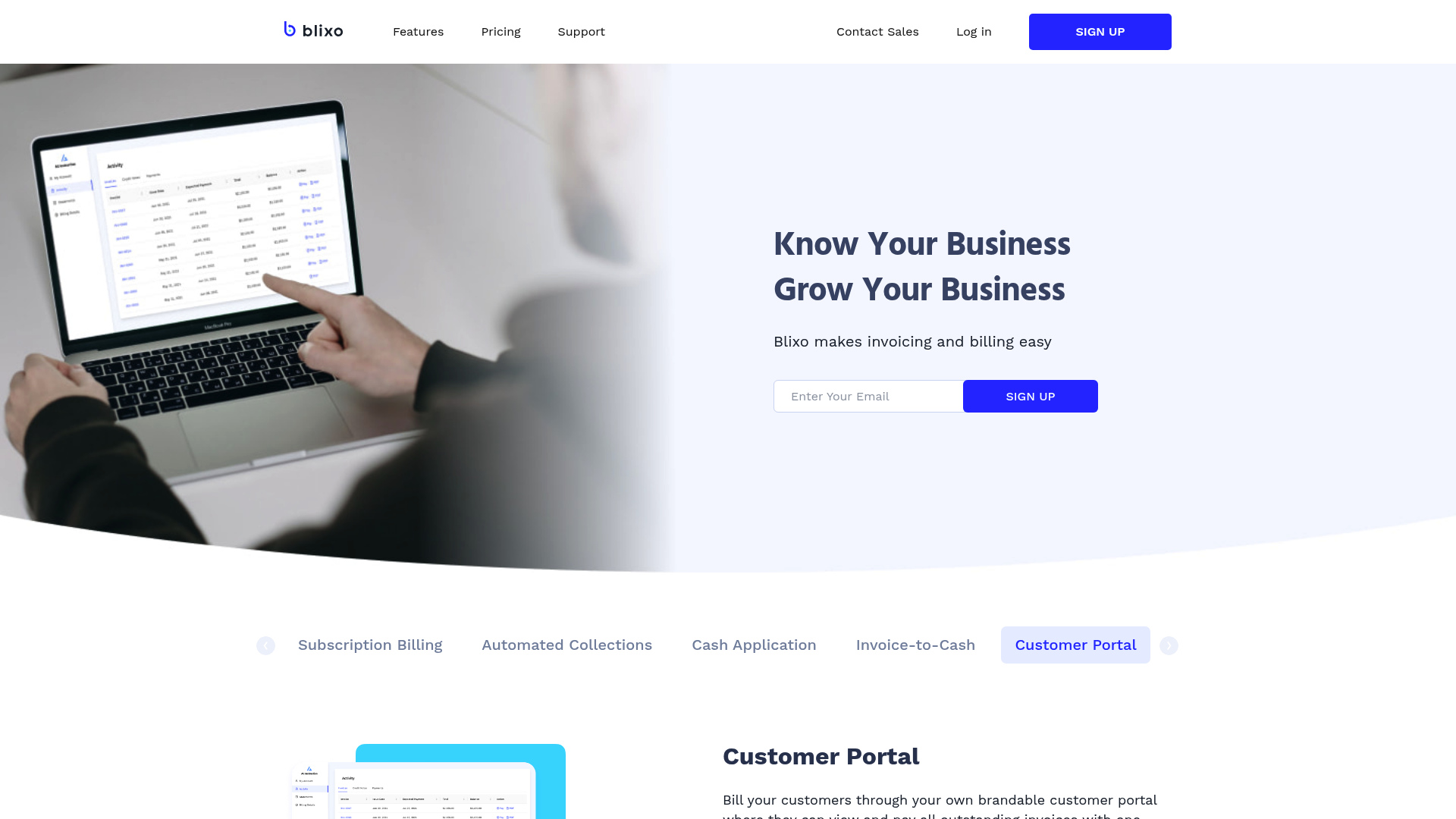
Automated cash application streamlines the reconciliation of payments with invoices, reducing manual effort and accelerating cash flow. By leveraging Blixo’s platform, businesses can automate the matching of incoming payments to corresponding invoices using an intelligent engine that minimizes errors and accelerates posting [3]. This automation eliminates the need for manual intervention in routine transactions, allowing finance teams to focus on strategic tasks [1]. For example, Blixo’s system automatically applies payments to open invoices based on factors like payment amount, date, and customer identifiers, ensuring accuracy and reducing days sales outstanding (DSO) [2]. The result is a more efficient accounts receivable process with fewer discrepancies and faster access to cash [3]. See the [Assessing Current Payment Processes] section for more details on identifying inefficiencies that automation can address.
Blixo’s Intelligent Matching Engine
Blixo’s intelligent matching engine employs advanced algorithms to analyze payment data and invoice details, ensuring precise and rapid reconciliation [3]. The engine prioritizes payments by aligning them with invoices using criteria such as exact amount matches, partial payments, and multi-invoice settlements, which reduces the likelihood of under or over-applications [1]. This capability is particularly valuable for businesses handling high volumes of transactions, as it minimizes the backlog of unmatched payments [2]. Building on concepts from [Setting Up Blixo for Automated Payment Optimization], the system learns from historical data to improve matching accuracy over time, adapting to evolving payment patterns [3]. For instance, recurring billing scenarios benefit from the engine’s ability to recognize subscription-based payments and apply them to the correct customer accounts [2]. By automating these processes, Blixo reduces the risk of human error and accelerates cash application cycles [3].
Customer Portal Features and Benefits
Blixo’s customer portal enhances the payment experience by providing self-service tools for customers to manage invoices, make payments, and track transaction statuses in real time [3]. Key features include customizable invoice views, automated payment reminders, and support for multiple payment methods, which streamline interactions for both businesses and their clients [1]. The portal also allows customers to schedule recurring payments, reducing late payments and improving overall cash flow predictability [2]. See the [Streamlining Recurring Billing and Invoicing with Blixo] section for further insights into managing recurring transactions. For businesses, this reduces the administrative burden of handling payment inquiries and follow-ups, as customers can access detailed transaction histories and payment confirmations directly [3]. Furthermore, the portal integrates with Blixo’s dunning management system to automatically notify customers of impending late fees, fostering transparency and encouraging timely payments [2]. By centralizing payment management, the portal strengthens customer relationships while ensuring compliance with billing agreements [3].
By combining automated cash application, intelligent matching, and a robust customer portal, Blixo addresses common pain points in payment processing. The platform’s ability to reduce manual tasks, accelerate reconciliation, and empower customers with self-service tools creates a more efficient and user-friendly financial ecosystem [1][2][3]. Businesses leveraging these features can expect measurable improvements in DSO, customer satisfaction, and operational efficiency, all while maintaining accurate financial records [3].
Monitoring and Optimizing Automated Payment Processes
Key Performance Indicators (KPIs) for Automated Payment Processes
Monitoring automated payment processes begins with tracking critical KPIs to evaluate efficiency and financial health. Blixo enables businesses to measure churn rate prediction for subscription models, allowing proactive retention strategies by identifying at-risk customers [2]. See the [Setting Up Blixo for Automated Payment Optimization] section for more details on implementing churn prediction workflows. Another vital KPI is days sales outstanding (DSO), which reflects how quickly invoices are converted to cash—a metric optimized through Blixo’s accounts receivable automation [1]. Additionally, payment acceptance rates are tracked to ensure high transaction success, leveraging Blixo’s ability to improve acceptance rates through real-time payment method updates [3]. Finally, delinquency recovery rates are critical for assessing the effectiveness of dunning processes, with Blixo’s tools designed to recover delinquent revenue systematically [1].
Analyzing Financial Reports and Making Data-Driven Decisions
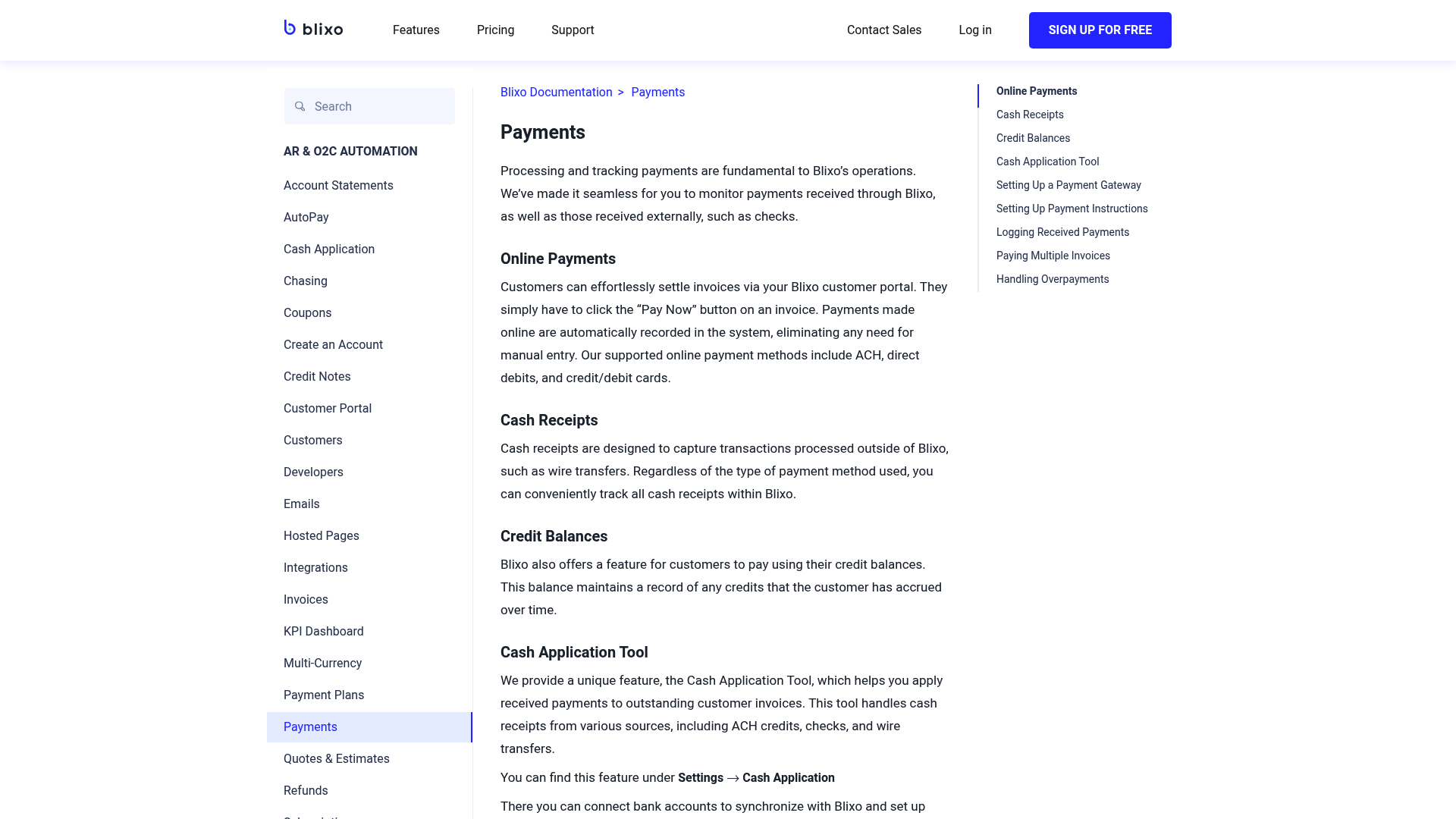
Blixo’s platform generates detailed financial reports that inform strategic adjustments to payment workflows. By analyzing cash application reports, businesses can verify accurate payment allocation and reduce manual reconciliation efforts [1]. Subscription billing analytics, such as recurring revenue trends and churn forecasts, enable data-driven decisions to optimize customer retention strategies [2]. See the [Streamlining Recurring Billing and Invoicing with Blixo] section for how automated billing systems support these analytics. For instance, Blixo’s integration with billing CRM systems allows businesses to cross-reference customer payment behavior with engagement data, identifying patterns that require intervention [3]. Financial reports also highlight collections performance, including metrics like delinquency resolution time, which helps refine dunning workflows for faster recovery [1].
Best Practices for Ongoing Monitoring and Optimization
To sustain efficiency, businesses should adopt structured monitoring routines using Blixo’s tools. One practice is automating dunning workflows to handle failed payments, which minimizes manual follow-ups and improves acceptance rates [3]. Building on concepts from the [Common Challenges and Troubleshooting in Automated Payment Optimization] section, regular reviews of dunning effectiveness help address edge cases in collections. Regularly reviewing subscription billing health scores, such as predicted churn probabilities, allows businesses to prioritize retention actions for high-risk customers [2]. Blixo also supports real-time payment method updates, automatically replacing expired or invalid cards to prevent payment failures—a practice that directly impacts acceptance rates [2]. Additionally, cross-referencing AR automation performance with financial reports ensures that invoice-to-cash cycles remain optimized, reducing DSO and operational overhead [1].
Continuous Improvement Through Integrated Analytics
Blixo’s platform emphasizes predictive analytics for long-term optimization. By leveraging historical payment data, businesses can forecast cash flow gaps and adjust billing schedules accordingly [3]. For example, analyzing payment timing patterns helps align invoice due dates with customer payment cycles, reducing delays [1]. Subscription businesses can further refine pricing models by correlating churn data with payment success rates, ensuring strategies balance revenue goals with customer satisfaction [2]. Regular audits of dunning campaign effectiveness—such as email templates or retry schedules—are also recommended to adapt to changing customer behaviors [3].
Limitations and Required Manual Oversight
While Blixo automates significant aspects of payment processes, certain limitations require human intervention. For instance, edge cases in cash application—such as partial payments or disputes—may need manual review despite automated matching rules [1]. See the [Enhancing Cash Application and Customer Portal Experience] section for strategies to handle complex cash application scenarios. Similarly, high-churn industries might require customized dunning strategies beyond Blixo’s default workflows, necessitating periodic rule adjustments [2]. Businesses should also manually validate subscription billing forecasts against actual performance to ensure predictive models remain accurate [3]. By combining automation with targeted oversight, organizations maximize the reliability of their payment ecosystems.
Common Challenges and Troubleshooting in Automated Payment Optimization
Automated payment optimization with Blixo introduces challenges related to error handling, exception management, and compliance. One common issue is the failure to update expired or replaced payment methods, which can lead to failed transactions and reduced acceptance rates [2]. Additionally, inaccuracies in churn prediction models may hinder retention optimization, as incorrect forecasts can result in misallocated resources or missed opportunities to re-engage at-risk customers [2]. Payment gateway errors, such as declined transactions due to insufficient funds or regional restrictions, further complicate automated workflows, requiring robust exception-handling mechanisms [2].
Troubleshooting Strategies for Errors and Exceptions
To address payment failures, Blixo’s platform includes automated retries and webhooks to notify users of transaction status changes. For example, if a payment method expires, the system attempts to update it using stored customer data, but manual intervention may be required if the update fails repeatedly [2]. To troubleshoot churn prediction inaccuracies, users should audit the data inputs feeding the model, ensuring historical payment behavior and customer engagement metrics are up-to-date [2]. For gateway errors, Blixo recommends configuring custom rules to route high-risk transactions through alternative payment channels, though specific implementation details are not outlined in the sources [2].
Handling Failed Transactions
Failed transactions often stem from invalid card details or temporary gateway issues. Blixo’s documentation emphasizes using its API to programmatically resubmit transactions with updated payment information, though no code examples are provided [2]. Users should also enable email or SMS notifications for customers whose payments fail, allowing them to correct payment details proactively. For recurring billing workflows, setting up a grace period for late payments can reduce churn caused by temporary financial constraints. See the [Streamlining Recurring Billing and Invoicing with Blixo] section for more details on configuring such workflows [2].
Ensuring Compliance and Security
Automated payment systems must adhere to regulatory requirements such as PCI-DSS and GDPR. Blixo’s platform claims to handle compliance by encrypting sensitive payment data and tokenizing card information, though specific compliance certifications are not mentioned in the provided sources [2]. To mitigate risks, users should regularly review access controls within the platform, restricting permissions to authorized personnel only. Additionally, Blixo’s automated reconciliation tools help detect discrepancies in billing records, reducing the likelihood of financial misstatements [1]. See the [Enhancing Cash Application and Customer Portal Experience] section for further discussion of reconciliation practices [1].
Auditing and Reporting
Compliance audits require detailed logs of payment transactions and system actions. While Blixo states it provides “predictive analytics for churn and retention,” the sources do not clarify whether audit trails include timestamps, user actions, or error codes [2]. For security, enabling two-factor authentication (2FA) for administrative accounts is recommended, though this is not explicitly detailed in the sources [2]. Users should also cross-reference Blixo’s security practices with their internal compliance frameworks, as the platform’s documentation does not specify third-party audit results or penetration testing schedules [2].
Limitations and Recommendations
The sources do not provide technical details on customizing error-handling workflows beyond basic retries or notifications [2]. For advanced use cases, such as integrating with external fraud detection systems, users may need to consult Blixo’s support team or explore API documentation not referenced here [2]. To maximize optimization, businesses should combine Blixo’s automated tools with manual reviews of edge cases, such as customers with inconsistent payment histories or those in high-churn industries [2]. Regularly testing payment scenarios—e.g., simulating expired cards or failed gateway requests—can further expose gaps in the system’s resilience [2]. Building on concepts from the [Monitoring and Optimizing Automated Payment Processes] section, proactive monitoring is critical to identifying and addressing these gaps [1][2].
In summary, while Blixo offers features to automate payment optimization, success depends on proactive monitoring, data accuracy, and alignment with compliance standards. Users must leverage available tools like automated retries, predictive analytics, and reconciliation reports while addressing gaps through manual oversight and external audits [1][2].
Best Practices for Scaling Automated Payment Processes with Blixo
To effectively scale automated payment processes with Blixo, organizations must prioritize planning for growth and scalability. Blixo’s Accounts Receivable (AR) Automation streamlines the invoice-to-payment cycle by reducing manual effort and accelerating cash flow, which is critical when handling increased transaction volumes [1]. For businesses with recurring billing needs, leveraging Blixo’s Subscription Billing ensures consistent revenue streams by automating invoicing and payment collection through a unified platform [2]. This integration minimizes errors and delays, allowing businesses to scale operations without proportionally increasing operational overhead. Additionally, planning for scalability requires evaluating how Blixo’s tools can adapt to evolving payment workflows, such as supporting multi-currency transactions or integrating with third-party financial systems (though specific integration details are not outlined in sources [1] or [2]). See the [Setting Up Blixo for Automated Payment Optimization] section for more details on configuring these tools for scalability.
Managing Complexity with Automation and Flexibility
As payment processes grow in volume and complexity, Blixo’s automation features help maintain efficiency. For instance, the platform’s ability to recover delinquent revenue through automated dunning processes reduces the risk of lost income while minimizing manual follow-ups [1]. Similarly, Subscription Billing includes predictive analytics to identify potential churn and optimize customer retention strategies, ensuring long-term scalability [2]. Businesses should also utilize Blixo’s capability to automatically update expired or replaced payment methods, which improves transaction acceptance rates and reduces failed payments [2]. By centralizing recurring billing and AR automation, Blixo simplifies the management of diverse payment scenarios, such as variable subscription plans or one-time invoices. However, organizations must proactively monitor and adjust automation rules to align with changing business requirements, as the sources do not specify dynamic rule configuration workflows. See the [Monitoring and Optimizing Automated Payment Processes] section for guidance on evaluating and refining automation performance.
Ensuring Platform Scalability Through Built-In Features
Blixo’s architecture supports scalability by handling increased transaction loads without compromising performance. The platform’s Subscription Billing module allows businesses to predict churn and adjust retention strategies, which becomes increasingly valuable as customer bases expand [2]. For high-volume operations, Blixo’s AR Automation ensures faster payment processing by automating tasks like invoice generation and reconciliation [1]. To further enhance scalability, businesses should leverage Blixo’s ability to manage multiple payment methods and currencies, though specific implementation details for these capabilities are not explicitly provided in the sources [1] or [2]. Additionally, the platform’s automated revenue recovery features reduce the need for manual intervention, even as transaction volumes grow. Organizations should regularly audit their use of Blixo’s tools to identify bottlenecks and optimize workflows for sustained scalability.
Best Practices for Implementation and Optimization
To maximize Blixo’s potential, businesses should adopt a structured approach to implementation. Start by integrating AR Automation with existing accounting systems to streamline invoice-to-payment workflows [1]. For recurring billing, configure Subscription Billing to align with customer payment preferences, such as setting up flexible billing cycles or prorating charges for mid-cycle changes [2]. Regularly reviewing churn analytics and adjusting retention strategies based on Blixo’s predictive insights can further improve scalability [2]. It is also recommended to enable automated payment method updates to reduce friction in recurring transactions, as this feature directly impacts acceptance rates [2]. Finally, organizations should collaborate with Blixo’s support team to ensure configurations align with long-term growth objectives, though specific support processes are not detailed in the sources [1] or [2]. By combining these practices, businesses can achieve a scalable, efficient payment ecosystem with Blixo. Building on concepts from [Streamlining Recurring Billing and Invoicing with Blixo], this approach ensures consistency across payment workflows.
References
[1] Blixo - Accounts Receivable Automation & Subscription Billing - https://blixo.com/
[2] Blixo - Subscription Billing & Accounts Receivable Automation - https://blixo.com/subscription-billing
[3] Blixo Blog - https://blixo.com/blog/en/
Frequently Asked Questions
1. What is Blixo, and how does it streamline automated payments?
Blixo is a unified platform that automates accounts receivable (AR), invoicing, recurring billing, and dunning processes. It streamlines payments by digitizing workflows, reducing manual tasks, and ensuring timely invoicing, automatic payment collection, and real-time tracking. Its tools also dynamically update payment methods (e.g., replacing expired cards) to minimize churn and improve cash flow efficiency.
2. How does Blixo reduce revenue leakage in automated payment systems?
Blixo minimizes revenue leakage by automating dunning processes (e.g., resending invoices, retrying payments), enforcing late fee rules, and flagging delinquent accounts. It also predicts customer churn using behavioral analytics and proactively adjusts payment strategies, such as suggesting alternative payment methods or adjusting billing schedules, to recover at-risk revenue.
3. Can Blixo integrate with existing accounting and payment gateways?
Yes, Blixo integrates seamlessly with popular accounting software (e.g., QuickBooks, Xero) and payment gateways (e.g., Stripe, PayPal) via APIs. This ensures real-time data synchronization, reduces reconciliation errors, and allows businesses to maintain their existing tech stack while enhancing automation capabilities.
4. How does Blixo improve customer experience in subscription billing?
Blixo enhances customer experience by ensuring error-free recurring payments, dynamically updating expired payment methods, and offering transparent billing dashboards. It also automates communication (e.g., invoice reminders, payment confirmations) to keep customers informed, reducing friction and improving retention rates.
5. What security measures does Blixo implement for automated payments?
Blixo prioritizes security with end-to-end encryption for data transmission, PCI-DSS compliance for payment processing, and advanced fraud detection algorithms. It also offers role-based access controls and audit trails to ensure sensitive financial data remains protected while maintaining regulatory compliance.
6. How does Blixo support predictive analytics for revenue forecasting?
Blixo uses machine learning to analyze payment patterns, predict delinquencies, and forecast cash flow. By centralizing AR data and subscription metrics, it provides actionable insights to optimize pricing strategies, identify high-risk accounts, and adjust collections strategies proactively.
7. What steps are required to start using Blixo for automated payments?
To implement Blixo, businesses connect their accounting systems and payment gateways via API, configure automation rules (e.g., dunning workflows, late fee policies), and train staff on the platform. Blixo also offers onboarding support to tailor settings to specific use cases, ensuring a smooth transition to automated payment workflows.