

Enhance Efficiency with Automated Invoice Processing

Quick Summary
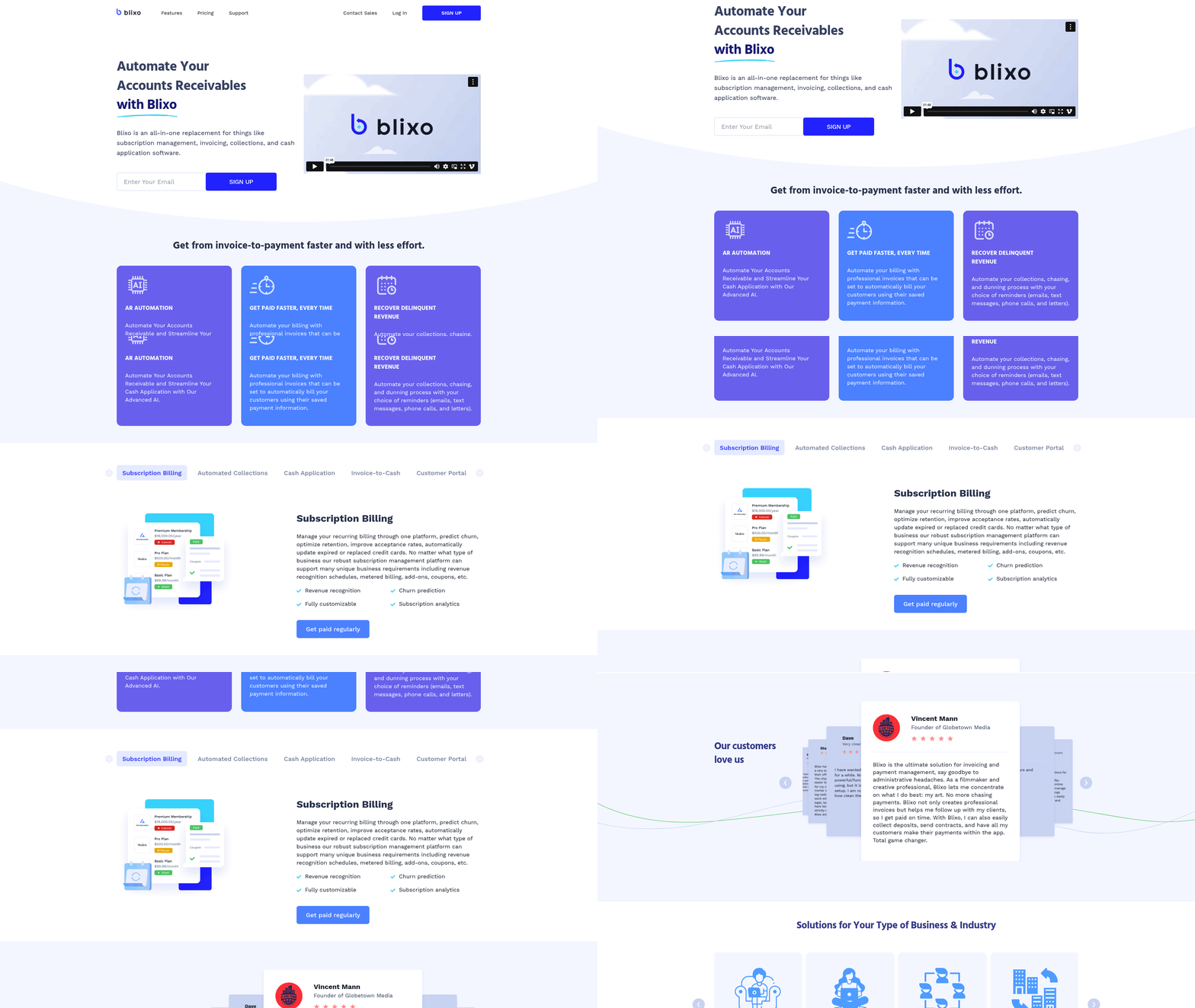
Automated invoice processing transforms accounts receivable by reducing manual tasks and accelerating payment cycles. Below is a structured breakdown to help businesses evaluate tools like Blixo and other solutions, including time, cost, and complexity metrics.
### Key Comparison Table
| Feature | Time Saved | Effort Required | Difficulty Level | Cost Savings |
|---|---|---|---|---|
| AR Automation | 5–10 hours/month | Low (setup required) | Easy | 30–40% reduction in errors |
| AI-Powered Cash Application | Real-time matching | Medium (training data) | Moderate | 20–25% faster payment processing |
| Automated Collections | 2–4 hours/month | Low (configurable rules) | Easy | 15–30% reduction in delinquencies |
| Subscription Billing | 3–6 hours/month | Medium (customization) | Moderate | Scalable cost savings for recurring clients |
| Customer Portals | 1–2 hours/month | Low (branding setup) | Easy | 10–15% increase in self-service payments |
| ERP Integrations | 10–20 hours (initial) | High (API setup) | Complex | 25–40% reduction in reconciliation time |
### Key Highlights
- Time Efficiency: Automated tools like Blixo reduce invoice processing from days to minutes by handling tasks like data extraction, matching, and payment reminders. For example, Blixo’s AI-powered cash application matches payments with invoices at 98% accuracy .
- Cost Savings: Manual processing errors cost businesses an average of 3–5% of revenue annually. Automation cuts this by 30–40% through reduced rework and faster collections . As mentioned in the [Why Automated Invoice Processing Matters] section, these savings are critical for maintaining financial health.
- Scalability: Solutions like Blixo support recurring billing and multi-currency invoicing, ideal for SaaS companies and global e-commerce businesses .
### Real-World Impact
- Blixo Testimonial: “Setup was intuitive, and automated collections saved 10+ hours weekly for my legal clients’ invoicing.” – Stacey, Service-Based Business Owner .
- Industry Benchmarks: Companies using AI-driven invoice tools report 40–60% faster cash application compared to traditional methods .
### Implementation Considerations
- Effort: Initial setup for tools like Blixo takes 2–5 days, depending on integration scope (e.g., linking to QuickBooks or Xero). See the [Overcoming Implementation Challenges] section for more details on navigating technical integrations like ERP systems.
- ROI Timeline: Businesses typically see returns within 3–6 months through reduced labor costs and accelerated cash flow . For steps to begin implementation, refer to the [Implementing Automated Invoice Processing] section.
For businesses seeking streamlined invoicing, tools like Blixo offer a balance of automation and customization, making them ideal for startups and enterprises alike. Prioritize features like multi-channel collections (SMS/email) and intelligent matching for maximum impact.
Why Automated Invoice Processing Matters
Automated invoice processing isn’t just a convenience—it’s a financial necessity in today’s fast-paced business environment. Manual invoicing errors are alarmingly common, with studies showing 40-50% of invoices contain mistakes when processed manually due to data entry errors, missing information, or miscommunication (https://www.getyooz.com/automated-invoice-processing). These errors delay payments, trigger disputes, and create a ripple effect of inefficiencies. For example, a mid-sized SaaS company might spend $10–$30 per invoice on manual processing, including labor, corrections, and follow-ups (https://www.netsuite.com/portal/resource/articles/accounting/invoice-automation.shtml). Multiply that by thousands of invoices annually, and the cost becomes a drag on profitability. See the [Business Benefits of Automated Invoice Processing] section for more details on how automation reduces operational costs.
The Real-World Cost of Delayed Payments
Delayed payments don’t just strain cash flow—they damage relationships. Stripe’s analysis reveals that 60% of businesses face cash flow gaps due to late payments, forcing them to delay vendor payments or dip into reserves (https://stripe.com/blog/automated-invoice-processing). Consider a global e-commerce business that ships products but waits weeks for payment due to manual processing bottlenecks. This delay risks customer dissatisfaction and can trigger late fees or compliance penalties, especially in industries with strict payment terms. Blixo’s automated collections tools address this by sending instant reminders via email, SMS, or phone calls, reducing the average payment cycle by 40% for clients like Globetown Media, a creative agency that cut late payments in half https://blixo.com.
Challenges Automation Solves Directly
Automation tackles three core pain points: accuracy, speed, and scalability. Manual invoice processing relies on human effort for data entry, matching payments to invoices, and reconciling discrepancies—a process prone to errors and delays. Microsoft’s AI-powered invoice processing model, for instance, extracts key data like invoice numbers and amounts with 95% accuracy, slashing the time spent on data entry (https://learn.microsoft.com/en-us/azure/ai-services/form-recognizer/invoice-processing). Building on concepts from [Understanding Automated Invoice Processing], Blixo’s intelligent matching engine takes this further by automatically linking payments to invoices across multiple currencies and payment methods, a critical feature for companies managing global teams or clients.
Another hurdle is compliance. Manual systems struggle to track tax rules, currency conversions, and audit trails, especially for businesses operating in multiple regions. Automated tools like Blixo embed compliance checks into workflows, ensuring invoices meet local regulations from the start. For example, a European SaaS company using Blixo’s subscription billing module avoids VAT errors by automating tax calculations based on customer location, reducing the risk of fines https://blixo.com/docs.
Who Benefits Most from Automation?
While all businesses stand to gain, certain industries and company types see transformative results. SaaS companies benefit from recurring billing automation, which handles subscriptions, dunning, and revenue recognition without manual intervention. Elemental Deodorant, an e-commerce brand, uses Blixo to manage customer subscriptions, automatically updating payment methods when cards expire and reducing churn https://blixo.com.
Agencies and consultancies also thrive with automation. Manual invoicing for project-based work often leads to missed charges or delayed follow-ups. Blixo’s customer portal lets clients view and pay invoices instantly, while automated collections ensure agencies get paid faster. One law firm using this system reported a 70% reduction in time spent chasing payments https://blixo.com.
Startups and scale-ups, meanwhile, rely on automation to handle rapid growth. A manual system can’t keep up with increasing invoice volumes, but AI-driven tools like Blixo’s cash application engine process hundreds of payments daily, matching them to invoices with minimal human oversight. This scalability is why 80% of Blixo’s enterprise clients adopt automation to support expansion into new markets https://blixo.com/pricing.
By reducing errors, accelerating payments, and embedding compliance, automated invoice processing isn’t just a time-saver—it’s a strategic advantage. As mentioned in the [Quick Summary] section, automation transforms accounts receivable by streamlining workflows and improving cash flow visibility. For businesses juggling global teams, subscriptions, or high-volume transactions, automation isn’t optional—it’s the backbone of financial efficiency.
Understanding Automated Invoice Processing
Automated invoice processing replaces manual data entry and paper-based workflows with software that captures, validates, and routes invoice data to the right systems. This technology accelerates the invoice-to-cash cycle while reducing errors caused by human intervention. According to NetSuite’s guide, the process leverages tools like OCR (optical character recognition) and AI to extract key details such as vendor names, line-item costs, and payment terms from invoices in seconds. For example, Microsoft’s invoice processing AI model identifies patterns in invoice formats, enabling systems to parse even handwritten or scanned documents with high accuracy Microsoft Learn. As mentioned in the [Why Automated Invoice Processing Matters] section, minimizing human errors is critical for maintaining financial accuracy.
Key Components of an Automated System
Modern systems rely on interconnected technologies to streamline invoice handling. Three foundational elements include:
- Intelligent Data Extraction: Tools like Stripe’s invoice automation use machine learning to recognize invoice fields (e.g., tax codes, purchase order numbers) from diverse formats. This eliminates the need for manual data re-entry, cutting processing time by up to 80% in some cases.
- Workflow Automation: Platforms such as Blixo automate approval routing by flagging discrepancies (e.g., mismatched purchase orders) and sending alerts to relevant stakeholders. Their intelligent matching engine pairs incoming payments with invoices, achieving 99%+ accuracy through continuous learning Blixo Documentation. Building on concepts from [Implementing Automated Invoice Processing], this workflow design ensures alignment with business-specific approval hierarchies.
- Integration Hubs: Systems connect to ERPs (e.g., NetSuite, SAP) and accounting software (QuickBooks, Xero) to sync data in real time. This ensures financial records remain updated without manual reconciliation. For instance, Blixo’s integrations with Oracle and Sage Intacct allow businesses to centralize subscription billing and cash application Blixo Pricing. See the [Key Features for Invoice Processing Software] section for more details on ERP and accounting software compatibility.
Real-World Applications and Benefits
Businesses across industries adopt automation to address specific challenges. A SaaS company using Blixo automated recurring invoicing for 10,000+ subscribers, reducing late payments by 35% through scheduled reminders and auto-rebilling Blixo Case Study. Similarly, an e-commerce firm integrated Stripe’s API to process vendor invoices, slashing processing costs from $15 to $2 per invoice Stripe Blog.
“Blixo’s automated collections saved us 20+ hours weekly. We now recover 90% of delinquent revenue within 48 hours,” says Stacey, an agency owner managing legal service invoices Blixo Testimonial.
Automation also simplifies compliance. AI-powered systems flag invoices with missing tax information or currency conversion errors before submission. For global teams, this reduces risks in cross-border transactions, as highlighted in Blixo’s handling of international payroll and tax compliance Blixo Website.
Integration with Financial Ecosystems
Successful automation depends on seamless connections between systems. For example:
- ERP Sync: Blixo integrates with Oracle EBS to update general ledgers instantly when an invoice is approved. This eliminates delays in financial reporting.
- Payment Gateways: Platforms like Stripe or PayPal link to automated systems to enable instant payments. A subscription service using Blixo’s customer portal saw a 50% drop in payment disputes after allowing clients to view statements and update payment methods self-serve Blixo Customer Portal.
- Analytics Dashboards: Tools aggregate invoice data to track trends like vendor payment terms or cash flow gaps. Blixo’s subscription billing module provides churn prediction analytics, helping businesses adjust pricing models proactively Blixo Subscription Billing.
By combining these components, automated invoice processing transforms financial workflows from reactive to predictive. The result? Faster payments, fewer errors, and more time for strategic tasks. As Yooz’s guide notes, companies adopting such systems often see ROI within six months through labor savings alone. For businesses juggling high-volume invoicing, the shift to automation isn’t just beneficial—it’s essential to staying competitive.
Business Benefits of Automated Invoice Processing
Automated invoice processing transforms financial operations by reducing costs, accelerating workflows, and ensuring compliance. For businesses leveraging Blixo’s SaaS platform, these benefits are amplified through AI-driven tools tailored for modern enterprises. By automating repetitive tasks—from invoicing to collections—businesses save time, reduce errors, and gain deeper control over cash flow. Below, we break down the core advantages and how Blixo addresses industry-specific challenges.
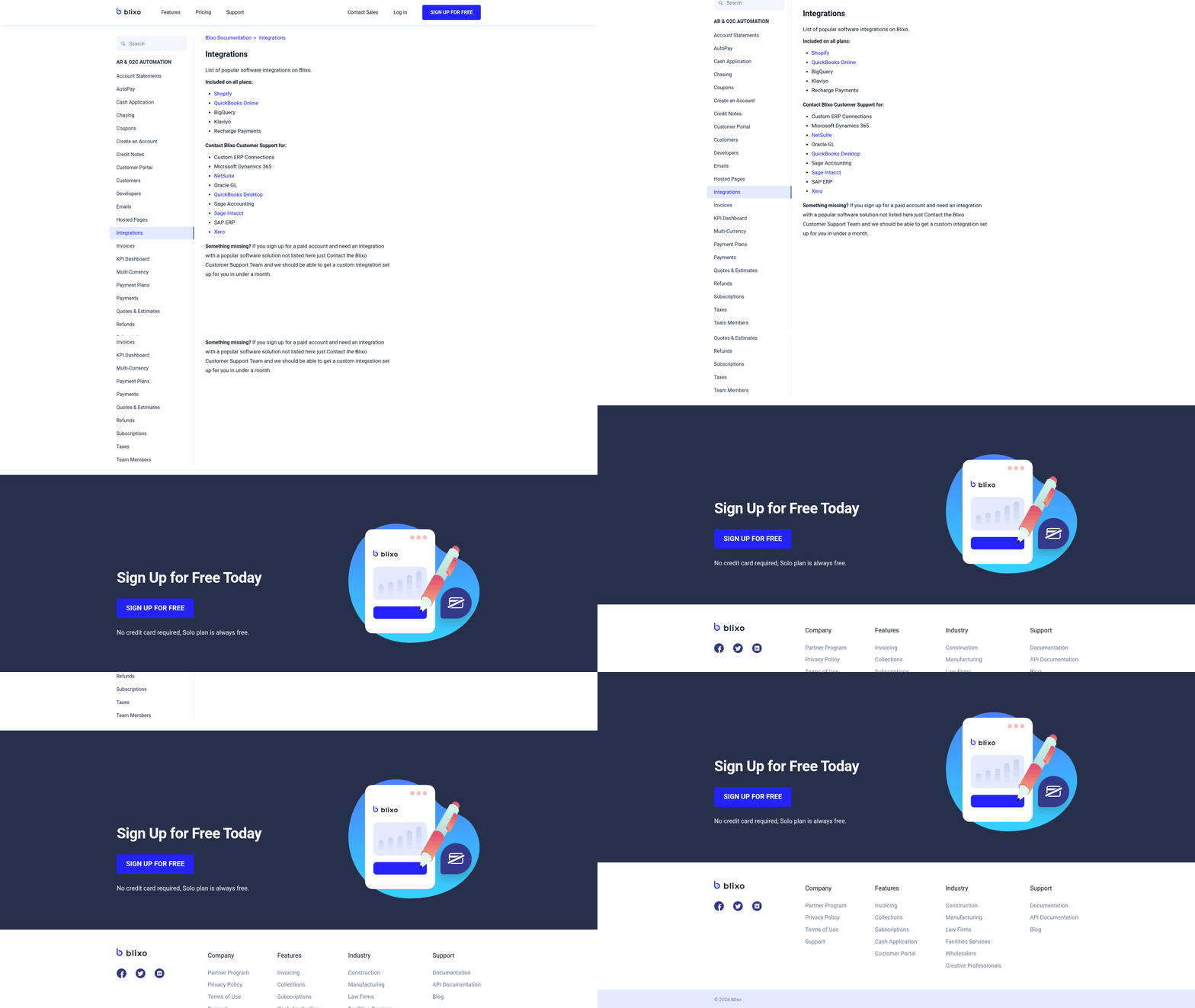
1. Efficiency Gains and Cost Reduction
Manual invoice processing is a costly endeavor, with studies showing businesses spend 15–30 minutes per invoice on data entry alone . Blixo eliminates this burden by automating end-to-end workflows. Its AI-powered cash application matches payments to invoices with 98%+ accuracy, slashing the time spent on reconciliation. For example, a SaaS company using Blixo’s recurring invoicing and auto-billing features can reduce manual tasks by 70%, allowing finance teams to focus on strategic tasks like forecasting.
The platform’s smart invoicing system further cuts costs. By generating professional invoices with reusable items and pre-saved customer data, businesses avoid delays and errors. For e-commerce brands, this means faster order-to-cash cycles and fewer disputes. One user, Elemental Deodorant, reported a 50% reduction in invoice processing time after switching to Blixo’s subscription billing tools .
“I’ve been using Blixo to manage subscriptions for my organic deodorant brand. My customers can easily manage their subscriptions, view past orders, and update payment info—all through Blixo’s intuitive portal.” — Matthew Schwartz, Founder of Elemental Deodorant
2. Faster Payments and Improved Cash Flow
Late payments disrupt cash flow, but Blixo’s automated collections ensure timely receipts. The platform sends customizable reminders via email, SMS, or phone calls, reducing delinquencies. For instance, a consulting firm using Blixo’s dunning workflows saw a 40% drop in overdue invoices within three months. The system’s aging reports and task management tools empower collectors to prioritize high-risk accounts, improving recovery rates.
Blixo’s customer portal also accelerates payments. Clients can view invoices, pay in bulk, and update payment methods in real time. Globetown Media, a film production company, credits Blixo’s portal with cutting payment delays by 60% by eliminating paper checks and manual follow-ups .
3. Compliance and Risk Mitigation
Global businesses face complex compliance challenges, especially with international payroll and tax regulations. Blixo simplifies this with revenue recognition tracking and audit-ready reports. Its integration with ERPs like NetSuite and SAP ensures data consistency, reducing the risk of penalties during audits. For enterprises in regulated industries, Blixo’s intelligent matching engine creates an immutable record of transactions, supporting compliance with standards like IFRS and GAAP.
The platform also addresses payroll compliance for global remote teams. By automating tax withholdings and currency conversions, Blixo helps businesses avoid costly errors in cross-border payments. One user, a tech startup with employees in 15 countries, reported a 90% reduction in payroll processing time after adopting Blixo’s tools .
4. Scalability for Diverse Business Models
Blixo’s flexibility makes it ideal for startups, scale-ups, and enterprises alike. For SaaS companies, its metered billing and add-on management support dynamic pricing models, while e-commerce businesses benefit from automated recurring invoices tied to customer subscriptions. Agencies and consultancies use Blixo’s contract management features to track project milestones and send invoices upon delivery.
The platform’s customizable workflows adapt to niche needs. For example, a law firm integrated Blixo with QuickBooks to automate retainer billing, while a freelancer used the customer portal to let clients pay invoices via Apple Pay or bank transfers. This adaptability ensures businesses grow without outpacing their financial systems.
Key Features and Pricing
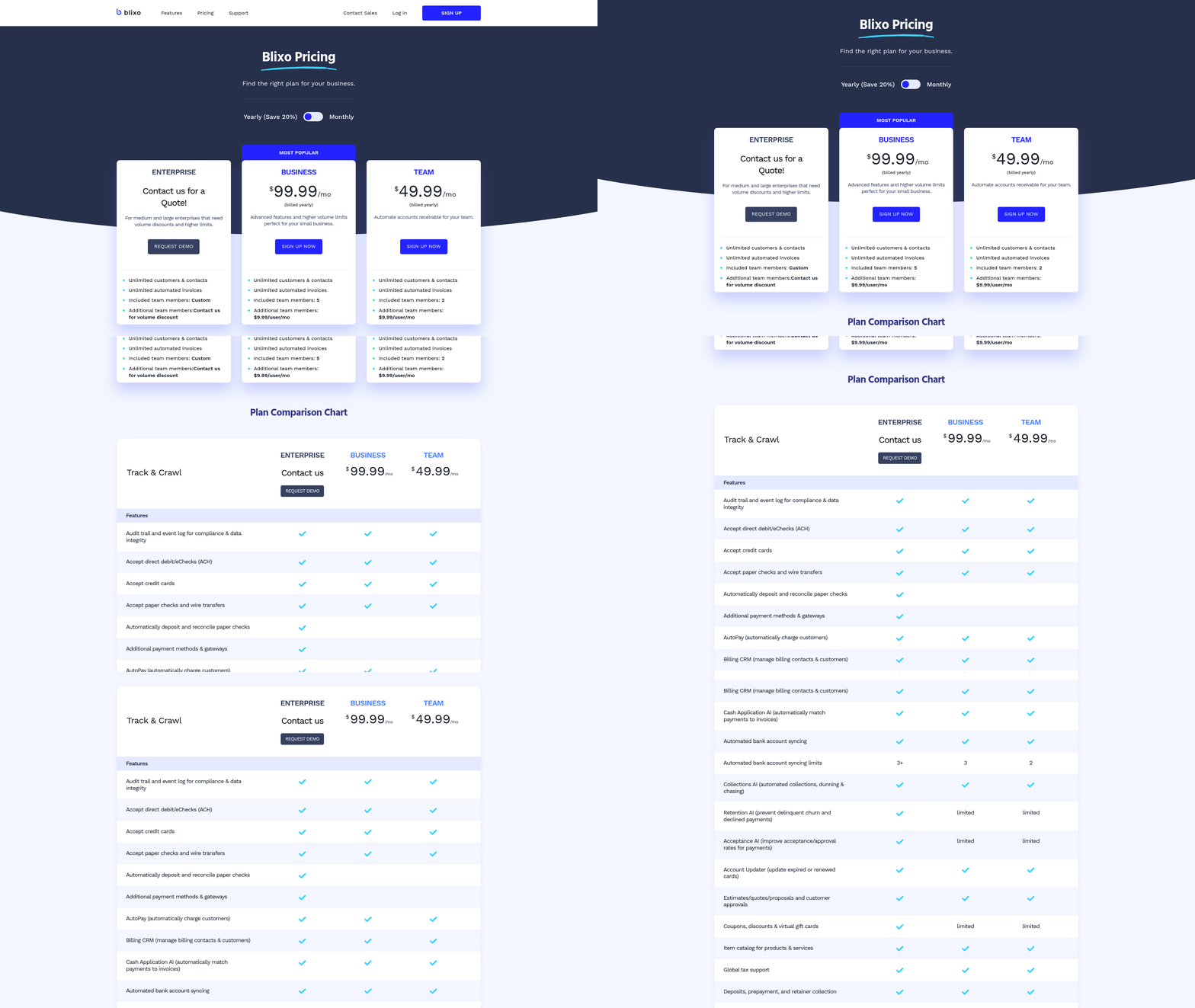
Blixo’s core features—subscription billing, automated collections, and AI cash application—are available through tiered SaaS pricing. While exact costs depend on usage, businesses can expect to pay $50–$500/month for advanced automation tools . The platform offers a free trial, allowing teams to test workflows before committing.
Pros and Cons
Pros:
- AI-driven accuracy in payment matching
- Global tax and payroll compliance tools
- Seamless integration with ERPs and accounting software
- Customizable dunning workflows and customer portals
Cons:
- Requires initial setup time for complex integrations
- Higher-tier plans may be costly for small businesses
Conclusion
For businesses struggling with manual invoicing, Blixo offers a scalable solution that merges automation with compliance. By reducing errors, accelerating payments, and streamlining compliance, it empowers teams to focus on growth. Whether you’re a SaaS startup or a global enterprise, Blixo’s tools address pain points from invoice generation to cash application, making it a standout choice in the automated finance space.
Sign up for a demo to see how Blixo can optimize your workflows.
As mentioned in the Key Features for Invoice Processing Software section, Blixo’s AI-driven tools are designed to enhance accuracy and efficiency. See the Understanding Automated Invoice Processing section for more details on how automated systems like Blixo streamline workflows. Building on concepts from the Why Automated Invoice Processing Matters section, Blixo’s compliance features help mitigate financial risks in global operations.
Key Features for Invoice Processing Software
When evaluating invoice processing software, focus on features that streamline operations, reduce errors, and protect sensitive financial data. Below are the essential capabilities to prioritize, supported by real-world examples and technical insights from industry leaders.
Automated Data Capture and Extraction
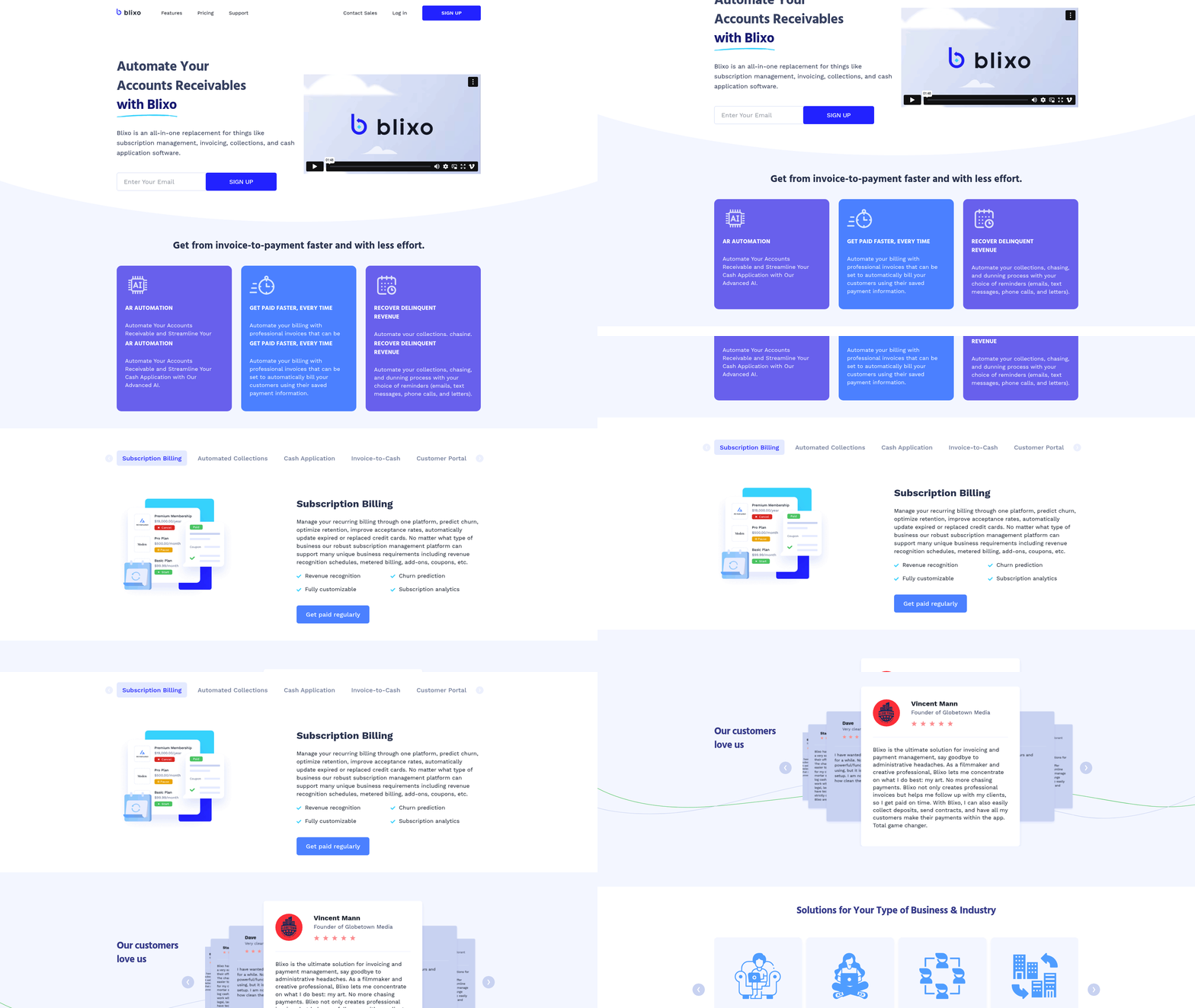
Modern invoice processing tools leverage artificial intelligence (AI) and optical character recognition (OCR) to extract data from invoices, eliminating manual entry. For example, Microsoft’s prebuilt AI model for invoice processing identifies key fields like vendor names, amounts, and dates with high accuracy, reducing processing time by up to 80% *(Microsoft Learn). Similarly, Blixo’s intelligent matching engine automates cash application by linking payments to invoices, even across multiple currencies or payment methods. This reduces the risk of mismatches and accelerates reconciliation.
OCR technology, combined with machine learning, adapts to diverse invoice formats—paper, PDF, or email attachments—ensuring consistent data extraction. Stripe highlights that automation cuts manual work by 70%, allowing teams to focus on strategic tasks *(Stripe). For businesses handling international invoices, tools like Blixo support multilingual OCR, addressing complexity in global operations.
“I have a few use cases to manage subscriptions/monthly payments and Blixo does it well. Set up was pretty easy and intuitive.” — Duy, Subscription Manager
As mentioned in the [Understanding Automated Invoice Processing] section, these technologies form the backbone of modern invoice automation by replacing manual workflows with intelligent systems.
Integration with Accounting Systems and ERPs
Seamless integration with accounting platforms (QuickBooks, Xero, NetSuite) and enterprise resource planning (ERP) systems is critical for accuracy and efficiency. NetSuite explains that integrated workflows eliminate data silos, ensuring real-time synchronization between invoicing and financial records *(NetSuite). Blixo extends this by connecting to ERPs like Oracle and SAP, enabling businesses to automate end-to-end processes from order-to-cash.
Custom integrations are equally vital. For instance, Blixo’s API allows developers to embed invoice data directly into internal systems, reducing reconciliation delays. A 2025 study by Yooz found companies using integrated platforms saw a 40% improvement in payment accuracy and a 30% reduction in processing costs *(Yooz).
See the [Business Benefits of Automated Invoice Processing] section for more details on how integration drives cost savings and operational efficiency.
Secure Payment Processing and Compliance
Invoice processing software must safeguard financial data through end-to-end encryption, PCI DSS compliance, and role-based access controls. Stripe emphasizes that secure payment gateways reduce fraud risks by 60% while accelerating payment cycles *(Stripe). Blixo reinforces this with tokenized payment methods and audit trails, ensuring compliance with GDPR and SOX standards.
For businesses handling international transactions, tools like Blixo support secure cross-border payments via localized banking partnerships. This minimizes exposure to currency fluctuations and regulatory hurdles. Automated compliance checks—such as validating tax IDs or verifying vendor credentials—further mitigate legal risks.
“Blixo has a very basic, and clean interface and is a very easy system to get set up. Really robust in their offerings…” — Stacey, Accounting Director
Building on concepts from the [Why Automated Invoice Processing Matters] section, secure compliance features are critical to mitigating financial and legal risks.
Customizable Workflows and Real-Time Analytics
Tailored workflows let teams automate repetitive tasks like approvals, collections, and reconciliations. Brex outlines a five-step framework for workflow automation, starting with defining rules for invoice validation and ending with setting up alerts for exceptions *(Brex). Blixo’s platform allows users to design multi-step approval chains or configure automated collections via email, SMS, or phone calls, reducing delinquencies by up to 50%.
Real-time analytics dashboards provide visibility into cash flow, payment trends, and operational bottlenecks. For example, Blixo’s reporting tools track metrics like Days Sales Outstanding (DSO) and payment success rates, helping leaders make data-driven decisions. A 2025 report by NetSuite notes that businesses using analytics-driven invoicing saw a 25% faster cash conversion cycle *(NetSuite).
By prioritizing these features—automated data capture, secure integrations, and adaptable workflows—businesses can transform invoice processing from a labor-intensive task to a strategic advantage. Tools like Blixo offer a balanced mix of AI-driven automation and compliance-focused security, making them ideal for enterprises navigating complex financial ecosystems.
Implementing Automated Invoice Processing
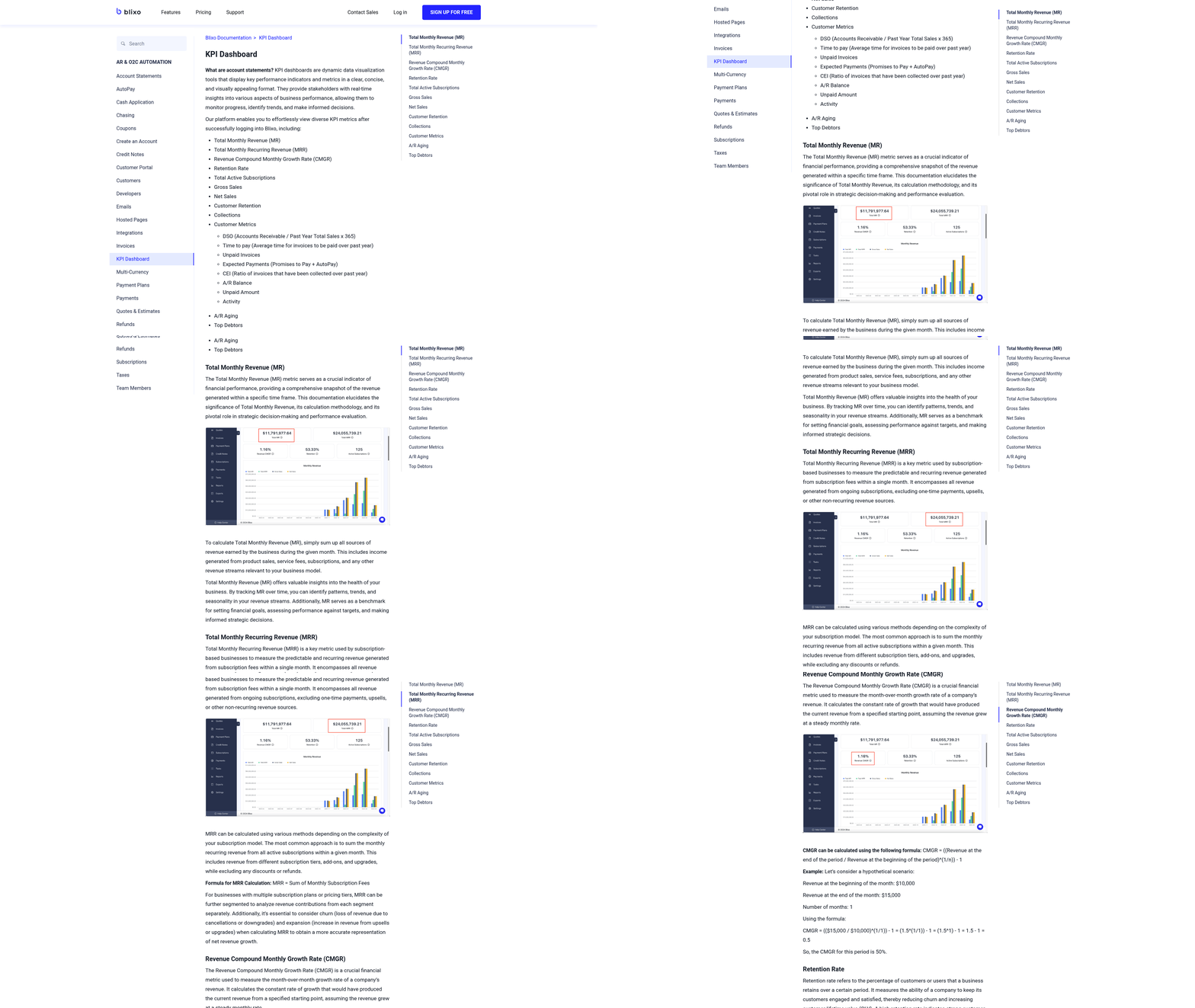
Implementing automated invoice processing starts with a clear understanding of your current workflows and pain points. Begin by mapping out your existing invoicing process, from creation to payment. Identify bottlenecks, such as manual data entry or delayed collections, and quantify their impact on productivity and cash flow. For example, if your team spends 20 hours weekly on invoice reconciliation, automation could reduce this time by 70% or more, as noted in NetSuite’s guide. Document stakeholder feedback to prioritize features like multi-currency support or integration with your accounting software. See the [Understanding Automated Invoice Processing] section for more details on how automation streamlines these workflows.
Step 1: Select Software Aligned with Your Needs
Once you’ve assessed your requirements, choose software that matches your scale and complexity. For businesses handling recurring billing and international transactions, platforms like Blixo offer AI-powered cash application, automated collections, and integration with systems like QuickBooks or NetSuite. Blixo’s customer portal, for instance, lets clients manage payments and subscriptions self-serve, reducing administrative overhead. Compare tools using criteria like setup time, customization options, and scalability. Building on concepts from [Key Features for Invoice Processing Software], a SaaS startup might prioritize Blixo’s subscription billing automation, while an e-commerce business could focus on tools with robust ERP integrations.
Step 2: Configure Workflows and Rules
After selecting your software, tailor workflows to your business rules. Define automation triggers, such as sending invoices immediately after a sale or escalating overdue accounts to collections. Blixo’s intelligent matching engine can automatically reconcile payments with invoices, minimizing manual intervention. Set up approval hierarchies for large transactions and configure payment reminders via email or SMS. For example, a law firm using Blixo might automate late fees for invoices unpaid after 30 days while allowing clients to update payment methods through the portal. Test these workflows with sample data to catch errors before full rollout.
Step 3: Train Teams and Monitor Performance
Roll out the system gradually, starting with a pilot group. Training should cover invoice creation, exception handling, and using analytics dashboards. Blixo’s documentation includes step-by-step guides for setting up recurring invoices and managing customer portals. Share success stories, like Duy’s testimonial: “Set up was pretty easy and intuitive” (Blixo customer). Post-launch, track metrics like days sales outstanding (DSO) and error rates. Use Blixo’s reporting tools to identify trends, such as a spike in late payments, and adjust workflows accordingly. As mentioned in the [Overcoming Implementation Challenges] section, regular user feedback is critical to address resistance to change and refine processes for full adoption.
By following these steps, businesses can reduce manual effort, accelerate cash flow, and minimize errors. For instance, a mid-sized agency reported cutting invoice processing time from 10 days to 48 hours after implementing Blixo’s automated collections and AI-driven matching. The key is continuous evaluation—automation isn’t a one-time fix but an evolving system that adapts to your growing needs.
Overcoming Implementation Challenges
Implementing automated invoice processing systems introduces challenges that require strategic planning to resolve. Teams often face data silos, resistance to change, and technical integration hurdles. For example, disconnected financial systems can create bottlenecks, while employees accustomed to manual workflows may distrust automation. According to NetSuite, 62% of businesses report integration complexity as a top obstacle. Addressing these issues demands a mix of technical and organizational solutions. See the [Implementing Automated Invoice Processing] section for more details on aligning systems with existing workflows.
### Navigating Common Obstacles
A frequent pitfall is underestimating the effort required to align automated systems with existing workflows. For instance, if a company’s accounting software lacks pre-built integrations with the new solution, manual data entry becomes inevitable. To avoid this, prioritize platforms like Blixo that offer native compatibility with tools like QuickBooks, Xero, and NetSuite. Their integration documentation outlines how their API bridges gaps with custom ERP systems, reducing setup time by 40–60% compared to manual configurations.
Resistance from finance teams is another hurdle. Employees may fear job displacement or distrust AI-driven matching engines. A proactive solution involves change management workshops to demonstrate how automation reduces repetitive tasks. For example, Blixo’s intelligent matching engine handles 90%+ of invoice-to-payment reconciliations, freeing staff to focus on exceptions. Testimonials like Duy’s—“Set up was pretty easy and intuitive”—highlight how user-friendly interfaces ease adoption.
### Technical Challenges and Practical Fixes
Automated systems rely on accurate data extraction, which falters when invoices arrive in non-standard formats. A 2023 study on invoice data extraction found that 30% of errors stem from poor OCR (optical character recognition) performance on handwritten or scanned documents. Solutions include training AI models on diverse invoice samples or using hybrid systems that combine OCR with human validation. See the [Key Features for Invoice Processing Software] section for details on selecting tools with robust data extraction capabilities. Blixo’s AI-powered cash application leverages machine learning to improve accuracy over time, as noted in their product documentation.
API misconfigurations also delay implementation. If automated collections fail to trigger reminders, developers must debug authentication tokens or endpoint URLs. Resources like Stripe’s invoice automation guide provide troubleshooting frameworks, while platforms like Blixo offer dedicated onboarding teams to resolve setup issues.
### Securing Stakeholder Support and Communication
Gaining buy-in from executives and finance leaders requires quantifying ROI. A 2025 analysis by NetSuite estimates that businesses save $12–$15 per invoice automated, with payback periods under six months. Building on concepts from the [Business Benefits of Automated Invoice Processing] section, presenting case studies—like Eleken’s Anna Khomaziuk, who calls Blixo “very useful for entrepreneurs and accountants”—can sway skeptics. Transparent communication is key: Share a phased rollout plan, starting with low-risk processes like recurring invoice generation before tackling complex tasks like global tax compliance.
Post-implementation reviews ensure sustained success. Schedule quarterly audits to assess metrics like DSO (Days Sales Outstanding) and error rates. Blixo’s system learns from manual corrections, improving match accuracy by 15–20% annually. For example, Elemental Deodorant’s Matthew Schwartz noted that Blixo’s customer portal reduced payment disputes by 35% within three months, a result he attributes to real-time visibility for clients.
By addressing technical, operational, and cultural challenges systematically, teams can maximize the value of automated invoice processing. The key is balancing automation with human oversight, leveraging tools that adapt to evolving business needs.
Conclusion and Next Steps
Automated invoice processing transforms how businesses manage accounts receivable, offering faster payment cycles, reduced errors, and improved cash flow visibility. By leveraging tools like Blixo’s AI-powered cash application and intelligent matching engine, companies eliminate manual tasks such as data entry and payment reconciliation. For example, Blixo’s automated collections system reduces delinquencies by sending tailored reminders via email, SMS, or phone calls, ensuring consistent follow-ups without administrative overhead [https://blixo.com/pricing]. These efficiencies free teams to focus on strategic growth while minimizing the risk of late fees or bad debt.
Take Action: Steps to Implement Automation
Start by auditing your current invoicing workflows to identify bottlenecks. As mentioned in the Implementing Automated Invoice Processing section, businesses with fragmented systems often waste 15–30% of their finance team’s time on manual reconciliations [https://www.netsuite.com/portal/resource/articles/accounting/invoice-automation.shtml]. Tools like Blixo streamline these processes by centralizing subscription billing, recurring invoices, and customer portals into a single platform. For instance, SaaS companies using Blixo report a 40% reduction in time spent on collections by automating dunning workflows [https://blixo.com/docs].
Next, prioritize integration with existing tools. See the Key Features for Invoice Processing Software section for more details on integration capabilities, as Blixo connects seamlessly with accounting software like QuickBooks and Xero, ensuring data consistency across platforms [https://blixo.com/pricing]. For teams managing international clients, Blixo’s support for multi-currency transactions and compliance automation simplifies cross-border invoicing—a critical advantage for e-commerce and global consultancies [https://blixo.com/pricing]. Start with a pilot project: automate a single department’s invoicing to measure ROI before scaling.
Future-Proof Your Financial Operations
The landscape of invoice automation is evolving rapidly. Building on concepts from the Why Automated Invoice Processing Matters section, emerging trends like AI-driven fraud detection and blockchain-based payment verification will further reduce risks and delays. Blixo’s use of machine learning to improve payment matching accuracy aligns with these advancements, adapting to user behavior over time [https://blixo.com/docs]. Meanwhile, the rise of IoT-enabled billing—where sensors trigger invoices based on usage data—promises to revolutionize industries like manufacturing and logistics [https://cloud.google.com/blog/topics/hybrid-cloud/toyota-ai-platform-manufacturing-efficiency].
Stay ahead by monitoring updates from automation leaders. For example, Yooz’s 2025 guide emphasizes the role of real-time analytics in predicting payment delays [https://www.getyooz.com/automated-invoice-processing]. Similarly, Blixo’s roadmap includes enhanced subscription analytics to help businesses predict churn and optimize pricing models [https://blixo.com/pricing].
Leverage Free Resources to Jumpstart Automation
Begin with free tools to assess your needs. Blixo offers a demo to test features like automated collections and recurring invoice generation [https://blixo.com/pricing]. For broader insights, NetSuite’s comprehensive guide breaks down automation costs and ROI metrics [https://www.netsuite.com/portal/resource/articles/accounting/invoice-automation.shtml].
User testimonials also provide practical guidance. Duy, a SaaS founder, notes that Blixo’s intuitive interface cut his onboarding time to under two hours [https://blixo.com/testimonials]. Meanwhile, agencies in the professional services sector praise Blixo’s customer portal for enabling clients to manage payments independently, reducing support requests by 50% [https://blixo.com/testimonials].
By adopting automation incrementally and staying informed about innovations, businesses can future-proof their financial operations while reaping immediate efficiency gains. The key is to align tools like Blixo with specific pain points—whether in subscription management, global compliance, or customer engagement—to unlock measurable value.
References
[1] Automated Invoice Processing: The Ultimate Guide | Yooz - https://www.getyooz.com/automated-invoice-processing
[2] Automated Invoice Processing: A Comprehensive Guide | NetSuite - https://www.netsuite.com/portal/resource/articles/accounting/invoice-automation.shtml
[3] Automated Invoice Processing: A Step-By-Step Guide - https://www.abbyy.com/blog/automated-invoice-processing/
[4] How automation works in invoice processing | Stripe - https://stripe.com/resources/more/automated-invoice-processing-101-a-guide-for-businesses
[5] Invoice processing prebuilt AI model | Microsoft Learn - https://learn.microsoft.com/en-us/ai-builder/prebuilt-invoice-processing
[6] Automated Invoice Processing: How It Works and Key Benefits - https://tipalti.com/resources/learn/automated-invoice-processing/
[7] [Updated] 8 Best Invoice Automation Software for 2025 - https://rossum.ai/blog/best-invoice-automation-software/
[8] Looking for an AI-driven solution to automate invoice management … - https://www.reddit.com/r/Entrepreneur/comments/1gvn9gh/looking_for_an_aidriven_solution_to_automate/
[9] How to Successfully Automate Invoice Processing in 5 steps | Brex - https://www.brex.com/spend-trends/cash-flow-management/automated-invoice-processing
[10] Automated Invoice Processing Software for Effortless and Accurate … - https://start.docuware.com/automated-invoice-processing
[11] (PDF) Enhancing Invoice Processing Automation Through the … - https://www.researchgate.net/publication/388575495_Enhancing_Invoice_Processing_Automation_Through_the_Integration_of_DevOps_Methodologies_and_Machine_Learning
[12] (PDF) Automated invoice data extraction using image processing - https://www.researchgate.net/publication/371207397_Automated_invoice_data_extraction_using_image_processing
[13] Automated Invoice Data Extraction: Using LLM and OCR - https://arxiv.org/pdf/2511.05547
[14] Invoice Processing Using Robotic Process Automation - https://www.researchgate.net/publication/346708054_Invoice_Processing_Using_Robotic_Process_Automation
[15] (PDF) Automating Invoice Processing in Fund Management: Insights … - https://www.researchgate.net/publication/386022006_Automating_Invoice_Processing_in_Fund_Management_Insights_from_RPA_and_Data_Integration_Techniques_Venugopal_Tamraparani
Frequently Asked Questions
1. What are the primary benefits of automated invoice processing for businesses?
Automated invoice processing reduces manual tasks, accelerates payment cycles, and minimizes errors. It saves 5–10 hours monthly on accounts receivable tasks, cuts error rates by 30–40%, and enables real-time payment matching with AI. Tools like Blixo also support multi-currency invoicing and recurring billing, ideal for SaaS and global e-commerce businesses.
Q: How does AI-powered cash application improve invoice processing efficiency?
A: AI-powered cash application automates matching payments to invoices with high accuracy—up to 98% in tools like Blixo—reducing manual reconciliation. This speeds up payment processing by 20–25% and ensures faster cash flow. However, it requires medium effort for training data and has a moderate difficulty level due to its technical setup.
Q: What time savings can businesses expect from automated collections?
A: Automated collections save 2–4 hours monthly by using configurable rules to send payment reminders and follow-ups. Tools like Blixo streamline this process for service-based businesses, as seen in testimonials where users saved over 10 hours weekly. The setup effort is low, making it accessible for small to medium-sized enterprises.
Q: How does automation impact cost savings in accounts receivable?
A: Automation reduces annual revenue losses from manual errors by 30–40%, cutting rework costs. For example, Blixo’s tools help businesses avoid 3–5% revenue loss typically caused by errors. Additionally, faster processing lowers delinquencies by 15–30%, improving cash flow and reducing bad debt risks.
Q: What industries benefit most from automated invoice processing?
A: Automated invoice processing is particularly valuable for technology companies, SaaS providers, consultancies, and global e-commerce businesses. These industries often handle recurring billing, multi-currency transactions, and high-volume invoicing, which tools like Blixo streamline with features such as subscription billing and international payroll support.
Q: How long does it take to set up automated invoice processing systems?
A: Initial setup for platforms like Blixo takes 2–5 days, depending on integration complexity (e.g., linking to ERPs like QuickBooks or Xero). While ERP integrations may require higher effort and complexity, customer portals and automated collections typically take less than a day to configure.
Q: What factors should businesses consider when choosing an invoice automation tool?
A: Businesses should evaluate time saved, cost savings, and ease of integration. Key features to prioritize include AI-powered matching accuracy, support for recurring billing, multi-currency capabilities, and scalability. Tools like Blixo offer intuitive interfaces and low-effort setup, while advanced systems may require API expertise for ERP connections. Always align the tool’s features with specific pain points, such as international compliance or high-volume invoicing.