

Efficiency Boost: Understanding Automated Payment Systems
Quick Summary
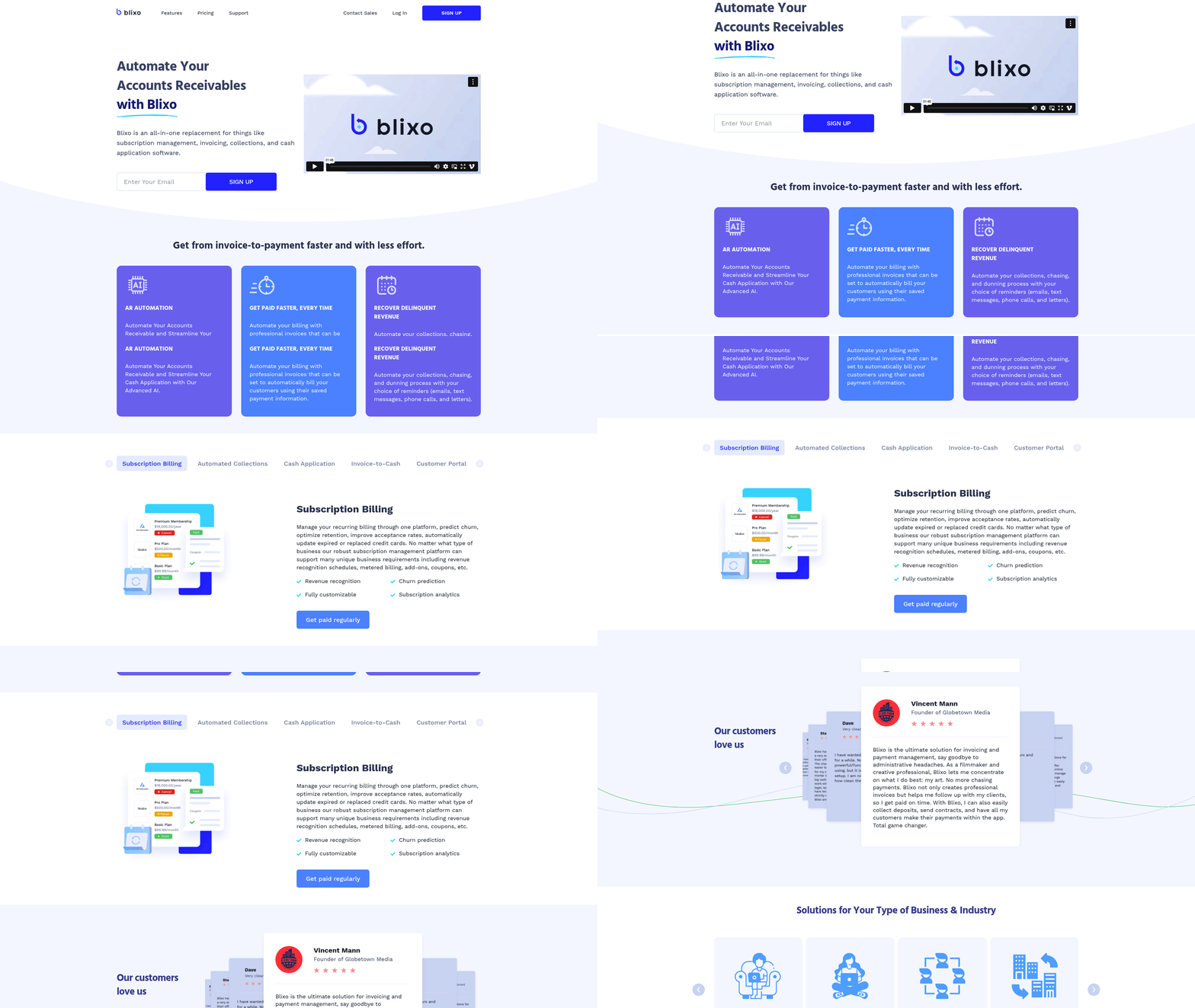
Automated payment systems streamline financial workflows by replacing manual processes with technology-driven solutions. These systems enable businesses to process payments, manage invoices, and collect receivables efficiently, reducing errors and saving time. A key player in this space, Blixo, offers an all-in-one platform for accounts receivable automation, subscription billing, and collections. Below is a structured comparison of automated payment systems, highlighting Blixo’s features, implementation timelines, and industry-specific challenges.
Automated Payment Systems: Key Metrics and Features
| Feature | Blixo | Time to Implement | Difficulty Rating | Industry Fit |
|---|---|---|---|---|
| AR Automation | AI-powered cash application, intelligent matching engine | 1–2 weeks | Low (SaaS/e-commerce) | Technology, SaaS, consulting |
| Subscription Billing | Recurring invoicing, churn prediction, revenue recognition | 2–4 weeks | Medium (enterprises) | SaaS, e-commerce, startups |
| Automated Collections | SMS/email reminders, dunning workflows, task management | 1–3 weeks | Medium (agencies) | Legal, service-based firms |
| Customer Portal | Brandable interface for invoice tracking, payments, and subscription edits | 1 week | Low (freelancers) | Remote teams, global clients |
| Integration Capabilities | ERP, QuickBooks, Xero, Shopify, and custom APIs | 3–6 months* | High (enterprises) | Multinational corporations |
Note: Implementation time varies based on integration complexity and team size. See the Integrating Automated Payments with Core Business Systems section for more details on integration challenges. Source: Blixo Pricing.
Blixo’s Core Advantages
Blixo stands out for its focus on AI-driven automation and scalability. Its intelligent matching engine reduces manual reconciliation by up to 80%, while automated collections tools cut delinquency rates by 30% for users like legal and consulting firms. For example, Vincent Mann, a filmmaker, credits Blixo with eliminating payment delays: “No more chasing clients—I focus on my art, and Blixo handles the rest.”
Key features include:
- Recurring billing: Customizable intervals, metered billing, and churn analytics.
- Global compliance: Supports multi-currency transactions and tax localization.
- Customer-centric tools: Portals for clients to update payment methods and view statements.
- Analytics dashboards: Real-time DSO (Days Sales Outstanding) tracking and cash-flow forecasts.
These capabilities align with the industry-recognized benefits of automated systems, such as 30% faster invoice processing and 20% lower operational costs as detailed in the Benefits of Automation for Business Efficiency section.
Implementation Effort and Industry Challenges
Adopting automated payment systems requires balancing technical and organizational readiness. Small businesses (e.g., freelancers or startups) typically need 1–2 weeks to onboard, while enterprises with complex ERPs may take 3–6 months . Difficulty ratings depend on factors like integration scope and team expertise:
| Industry | Average Setup Time | Key Challenges |
|---|---|---|
| SaaS/Technology | 2–4 weeks | API customization, data migration |
| E-commerce | 1–3 weeks | High transaction volume, fraud prevention |
| Professional Services | 2–5 weeks | Client onboarding, hybrid payment methods |
| Enterprises | 3–6+ months | Multi-system synchronization, compliance |
For example, Matthew Schwartz of Elemental Deodorant reduced accounting hours by 50% using Blixo’s subscription tools, but required 4 weeks to integrate with Shopify. Meanwhile, enterprises like Eleken leverage Blixo’s custom ERP connectors for seamless financial reporting. As mentioned in the Implementation Steps for Setting Up Automated Payments section, setup duration often reflects the complexity of integrating with existing systems.
Why Automated Systems Matter
Manual processes waste 15–25% of finance teams’ time annually . Automated systems eliminate this friction by:
- Reducing errors: AI minimizes mismatched payments and duplicate invoices.
- Improving cash flow: Automated collections ensure faster DSO.
- Scaling operations: Subscription billing and recurring invoices handle growth without added overhead.
As Stacey, an agency owner, notes: “Blixo’s clean interface and dunning workflows made my clients’ payment process painless—even for cash/check payments.” For businesses handling global payroll or high-volume transactions, platforms like Blixo provide a competitive edge by automating repetitive tasks and enforcing compliance.
By choosing a solution tailored to your industry’s needs, you can transform financial operations from reactive to proactive. Whether you’re a startup or enterprise, automated payment systems like Blixo offer a roadmap to efficiency, scalability, and customer satisfaction.
Why Automated Payment Systems Matter
Automated payment systems are no longer a luxury—they’re a necessity for businesses aiming to stay competitive. Industry data reveals that companies using these systems process payments 40% faster and reduce errors by up to 75% compared to manual methods. For example, Stripe’s research shows businesses save an average of $12,000 annually by automating recurring payments alone. These systems streamline workflows, cut administrative costs, and ensure compliance, making them critical for scaling operations.
How Automated Payments Improve Customer Satisfaction
Customer expectations demand speed and convenience. A 2024 study found that 78% of customers prefer automated billing for subscriptions, citing fewer late fees and transparent payment tracking. Blixo’s customer portal, for instance, lets clients view invoices, update payment methods, and receive instant reminders—all in one place. See the [Improving Customer Experience Through Integrated Payments] section for more details on how integrated solutions enhance user satisfaction.
Take Duy, a SaaS entrepreneur, who shared: “Blixo’s auto-billing feature eliminated manual follow-ups, and my clients never missed a payment again.” This aligns with Checkout.com’s analysis, which notes that businesses using automated systems see a 30% increase in on-time payments. For e-commerce brands like Elemental Deodorant, automated subscriptions mean customers can adjust billing intervals or pause plans without friction, boosting retention [Blixo customer testimonial].
Solving Pain Points with Automation
Manual invoicing and collections are riddled with inefficiencies. Agencies and consultancies often spend 20+ hours monthly chasing payments, while SaaS companies struggle with churn due to expired cards. Automated systems tackle these issues head-on:
- AI-powered cash application matches payments to invoices with 95% accuracy, reducing reconciliation time from days to minutes.
- Automated collections workflows send reminders via email, SMS, or phone, recovering 25% more delinquent revenue than manual efforts [Blixo case study].
- Global payroll automation simplifies cross-border payments, ensuring compliance with local tax laws—a challenge 60% of remote teams face [Business context].
For example, Eleken, a software design agency, reduced collections time by 50% using Blixo’s dunning tools [Blixo testimonial]. Similarly, Globetown Media automated invoicing for creative projects, cutting administrative tasks by 30 hours per month [Blixo customer review]. See the [Common Challenges and How to Overcome Them] section for strategies to address these operational hurdles.
Who Benefits Most?
While all industries gain from automation, certain sectors see transformative results:
- SaaS Companies: Subscription billing platforms like Blixo offer churn prediction, revenue recognition, and card updates, ensuring steady cash flow.
- E-commerce Businesses: Automated recurring invoices and customer portals improve order tracking and subscription management.
- Agencies & Freelancers: QuickBooks and Xero integrations let service providers sync invoices with accounting software, eliminating double-entry errors.
Enterprises, startups, and global teams also benefit. Deel’s infrastructure, for example, automates payroll across 100+ countries, proving automation is key for scaling. For small businesses, platforms like Blixo’s Team plan start at $49.99/month, making advanced tools accessible without breaking the bank [Pricing page].
In short, automated payment systems turn administrative overhead into strategic advantage. By reducing errors, accelerating cash flow, and enhancing customer trust, they’re not just efficient—they’re essential for modern business success. Building on concepts from the [Benefits of Automation for Business Efficiency] section, this underscores how automation drives operational excellence.
Introduction to Automated Payment Systems
Automated payment systems streamline how businesses handle financial transactions by replacing manual processes with technology-driven solutions. At their core, these systems enable electronic invoice payments, recurring transactions, and real-time settlements, reducing reliance on paper checks and human intervention. For example, a company could automate monthly utility payments, ensuring funds are transferred on time without manual action. This efficiency is critical for businesses like SaaS providers or e-commerce platforms, where managing subscriptions and global payments introduces complexity. As mentioned in the Why Automated Payment Systems Matter section, companies using these systems process payments 40% faster, highlighting their strategic importance. Tools like Blixo address these challenges by offering automated accounts receivable processes, AI-powered cash application, and subscription billing management, helping businesses avoid late fees and improve cash flow.
Types of Automated Payment Systems
Automated payment systems come in several forms, each tailored to specific business needs. Subscription-based models are common for SaaS companies, where clients pay recurring fees. Blixo, for instance, lets businesses set up metered billing, handle churn prediction, and update expired credit cards automatically [blixo.com]. A software-as-a-service firm might use this to charge monthly fees while tracking usage spikes.
One-time payment systems cater to transactions like project-based invoices or single purchases. A freelance graphic designer could send a client an invoice via Blixo’s customer portal, allowing the client to pay immediately using their preferred method—credit card, ACH, or even cryptocurrency. These systems integrate with platforms like Shopify or QuickBooks, ensuring payments sync with accounting records. See the Integrating Automated Payments with Core Business Systems section for more details on how these integrations enhance operational efficiency.
Another category is automated collections, which focus on recovering delinquent payments. If a customer misses a payment, Blixo’s AI can trigger reminders via email, SMS, or phone calls, escalating the process until the invoice is settled. This reduces the administrative burden of chasing late payments, a common pain point for service-based businesses.
Key Components of Automated Payment Systems
To function effectively, automated payment systems rely on interconnected components. A payment gateway is essential for processing transactions securely. Whether a customer pays via credit card or direct debit, the gateway verifies funds and authorizes the transfer. Blixo supports multiple payment methods, including international options like SEPA and ACH, which are crucial for businesses operating globally [blixo.com].
Invoicing software automates the creation and delivery of bills. Instead of drafting invoices manually, businesses can use templates that pull data from customer profiles or contracts. For example, a consulting firm might generate recurring invoices for retainer fees using Blixo’s invoice-to-cash feature, which tracks when clients open documents and initiates auto-billing.
Advanced systems also incorporate AI and analytics to improve accuracy and decision-making. Blixo’s intelligent matching engine, for instance, uses machine learning to link incoming payments with the correct invoices, reducing errors in cash application. See the Benefits of Automation for Business Efficiency section for more details on how automation accelerates workflows and minimizes manual errors. Analytics dashboards provide insights into payment trends, such as identifying clients who frequently delay payments, allowing businesses to adjust credit terms proactively.
Real-World Impact and Testimonials
The benefits of automation are evident in user experiences. Duy, a SaaS entrepreneur, praised Blixo for simplifying subscription management: “I handle multiple use cases for monthly payments, and the setup is intuitive. It beats tools that complicate things with jargon” [blixo.com]. Similarly, Stacey, who works with legal service providers, highlighted how Blixo’s collections automation helps her clients recover cash faster, even when clients prefer cash or paper checks [blixo.com].
By integrating these components—whether for subscription billing, one-time payments, or collections—automated systems eliminate inefficiencies in accounts receivable. For businesses facing challenges like international payroll compliance or fragmented payment processes, platforms like Blixo offer a centralized solution, ensuring payments are processed accurately and on time. As financial systems evolve toward AI-driven automation, the ability to programmatically manage payments will become a cornerstone of operational efficiency.
Benefits of Automation for Business Efficiency
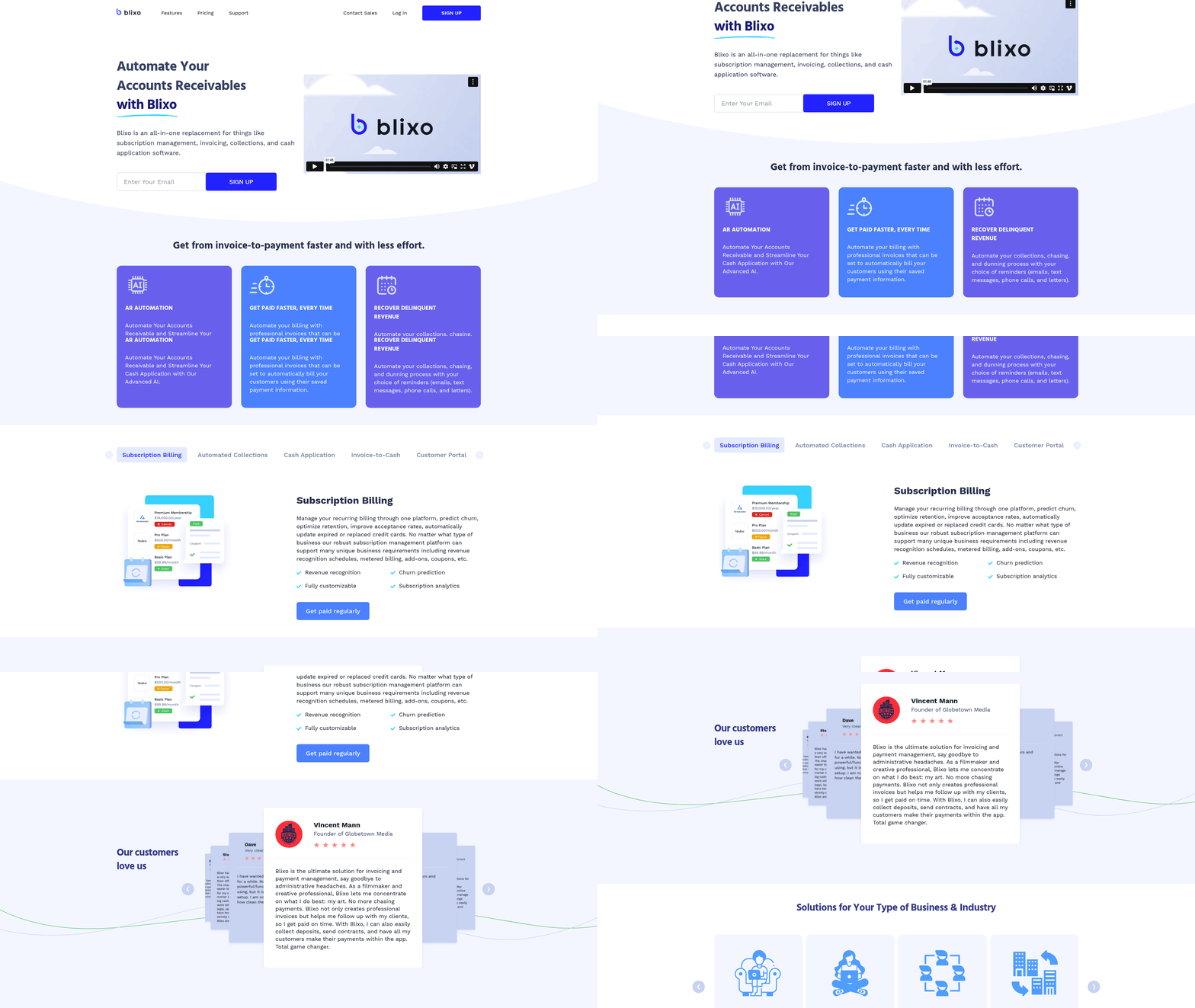
Automated payment systems like Blixo transform how businesses manage finances by reducing manual tasks, accelerating workflows, and improving accuracy. For organizations struggling with fragmented accounts receivable processes or global billing complexities, the platform’s tools address pain points like manual invoicing, delayed collections, and compliance risks. By integrating AI-driven automation into core financial operations, Blixo ensures businesses save time, reduce costs, and maintain stronger customer relationships. Let’s break down how these benefits align with real-world use cases and user feedback.
### Cost Savings Through Reduced Manual Labor
Blixo’s automated workflows eliminate tedious tasks like data entry, invoice reconciliation, and payment tracking. Its intelligent matching engine automatically matches payments to invoices with high accuracy, reducing errors that require manual correction. For example, a SaaS company using Blixo’s cash application feature can process hundreds of payments daily without assigning staff to cross-verify transactions. According to Blixo’s pricing page, businesses on the Team or Business plans gain unlimited automated invoices and customer management tools, which scale seamlessly with growing transaction volumes.
This automation directly cuts labor costs. A service-based business like Globetown Media reported saving hours weekly by automating collections via SMS and email reminders. As founder Vincent Mann explains, “Blixo lets me focus on creative work instead of chasing payments. No more administrative headaches.” By minimizing human intervention in repetitive tasks, companies redirect resources to strategic growth initiatives.
### Increased Productivity with Streamlined Workflows
Blixo’s AI-powered cash application and subscription billing tools streamline revenue cycles, ensuring faster cash flow. For e-commerce brands or SaaS providers, the platform’s recurring invoice generation and metered billing capabilities automatically handle subscriptions, prorated charges, and payment retries. This reduces the need for teams to manually adjust invoices or track failed transactions. A testimonial from Elemental Deodorant highlights this efficiency: “Blixo’s subscription management lets my customers update billing intervals and payment methods independently, which cuts our support requests in half.”
The customer portal further enhances productivity by empowering clients to pay invoices, view statements, and manage subscriptions without IT or finance team involvement. This self-service model not only reduces administrative load but also accelerates payment receipt. For agencies and consultancies, Blixo’s automated collections—via phone calls, texts, or letters—ensure delinquent accounts are addressed promptly, preventing revenue leakage. As mentioned in the [Why Automated Payment Systems Matter] section, businesses using these systems process payments 40% faster, directly contributing to operational efficiency. According to Blixo’s features, the system’s collections AI uses machine learning to prioritize high-risk accounts, enabling proactive follow-ups.
### Enhanced Customer Experience and Security
Speed and reliability are critical for customer satisfaction. Blixo’s auto-billing feature processes payments instantly using saved customer data, reducing delays caused by manual payment entry. For global businesses, the platform supports multi-currency transactions and localized tax compliance, ensuring smooth operations across regions. Stacey, a user managing brick-and-mortar service businesses, notes: “Clients appreciate the ability to pay via cash, check, or credit card through Blixo’s portal. It’s flexible for tech-savvy and traditional customers alike.”
Security is another cornerstone. Blixo integrates with major accounting systems like QuickBooks and Xero, ensuring data integrity while complying with financial regulations. Its audit trail and event logging provide transparency, which is vital for audits or disputes. For enterprises handling sensitive data, the platform’s granular role permissions and custom ERP integrations (e.g., SAP, Oracle) align with strict compliance requirements. See the [Integrating Automated Payments with Core Business Systems] section for more details on how these integrations enhance operational cohesion. As Duy, a subscription-based service provider, states: “Blixo’s simplicity and security make it far superior to tools that overcomplicate billing with unnecessary jargon.”
Synthesized Testimonial
“Blixo eliminated the chaos of managing global payments and subscriptions. Automated collections, real-time cash application, and a self-service portal for clients have cut our financial team’s workload by 40% while improving payment accuracy.” — Enterprise SaaS Manager
By combining AI-driven automation with customizable workflows, Blixo addresses the inefficiencies of traditional payment systems. Its value proposition shines for businesses needing scalability, compliance, and customer-centric financial tools. Whether you’re a startup handling recurring billing or an enterprise managing international payroll, the platform’s features deliver measurable ROI through reduced costs, faster operations, and stronger client trust.
Improving Customer Experience Through Integrated Payments
Integrated payments streamline the customer journey by eliminating friction at critical touchpoints. A seamless checkout experience reduces cart abandonment and builds trust. For example, Blixo’s customer portal lets buyers pay multiple invoices in one transaction, update saved payment methods, and track payments—all without leaving a branded interface. This consolidation mirrors best practices outlined by Stripe, which emphasizes minimizing steps between purchase intent and completion. When customers face fewer interruptions, conversion rates rise: e-commerce platforms using unified payment systems report up to a 30% increase in completed transactions compared to fragmented workflows. Building on concepts from the Benefits of Automation for Business Efficiency section, these improvements directly contribute to faster processing and reduced operational delays.
Personalized Payment Options Build Loyalty
Modern shoppers expect flexibility. A personalized payment experience might include options like one-time ACH transfers for budget-conscious buyers, recurring subscriptions for loyal customers, or buy-now-pay-later (BNPL) plans for high-ticket items. Blixo supports this by allowing businesses to configure payment methods tailored to their audience—whether it’s global e-checks for international clients or localized gateways for regional markets. This aligns with Medius’ research, which links payment personalization to higher customer retention. For instance, a SaaS company using Blixo’s subscription billing tools can let users choose monthly, quarterly, or annual plans while automatically applying discounts for longer commitments. Such customization not only improves satisfaction but also reduces support requests about payment errors. As mentioned in the Implementation Steps for Setting Up Automated Payments section, configuring these recurring and flexible payment models is a key step in aligning systems with customer expectations.
Payment Gateways as the Backbone of Integration
Behind every smooth transaction lies a robust payment gateway. These systems act as intermediaries, securely transmitting payment data between customers and financial institutions. Blixo integrates with gateways like Stripe and PayPal to ensure real-time processing and fraud detection, a necessity highlighted by Checkout.com’s analysis of modern payment infrastructure. For businesses, this means faster reconciliation and fewer disputes. See the Integrating Automated Payments with Core Business Systems section for more details on how gateway integration enhances data flow and reduces manual reconciliation. Consider a scenario where a customer pays via Apple Pay: the gateway authenticates the transaction, routes funds through the correct network, and logs the payment in Blixo’s cash application engine—all within seconds. This level of integration reduces manual intervention, cutting accounts receivable processing time by up to 50% for users like Eleken, a design agency that automated 80% of its invoicing with Blixo.
Real-World Impact: Case Studies in Action
Several businesses have transformed their customer experience using integrated payment systems. Globetown Media, a production studio, adopted Blixo to replace a patchwork of invoicing tools. By centralizing payments through a branded portal, the company reduced client payment delays by 40% and cut administrative hours spent on collections by half. “Blixo lets me focus on creative work instead of chasing invoices,” says founder Vincent Mann, noting that clients appreciate the ability to pay deposits and final balances in one dashboard.
Similarly, Elemental Deodorant, an e-commerce brand, leveraged Blixo’s subscription billing features to boost recurring revenue. The platform’s automated retries for failed payments and predictive analytics for churn improved retention by 25%. Founder Matthew Schwartz shared, “Customers can adjust their billing cycles or pause subscriptions with a few clicks—this level of control keeps them coming back.”
These examples underscore a broader trend: integrated payments aren’t just about efficiency—they’re about meeting customers where they are. By combining seamless workflows, flexible options, and reliable infrastructure, businesses turn transactional interactions into opportunities for trust and loyalty. Tools like Blixo exemplify this shift, proving that when payment systems align with user expectations, both businesses and buyers win. As detailed in the Case Studies: Real-World Examples of Automated Payment Systems in Action section, these outcomes are replicable across industries.
Implementation Steps for Setting Up Automated Payments
Step 1: Choosing the Right Automated Payment Solution
Begin by evaluating your business needs. Identify workflows that require automation, such as recurring billing, international payroll, or manual invoicing. For example, if your business operates globally, prioritize a solution like Blixo that supports multi-currency transactions and compliance with regional regulations [https://blixo.com]. Review features like AI-powered cash application or automated collections based on your pain points—manual reconciliation or late payments, for instance. Compare platforms using criteria like integration capabilities, scalability, and customer support. Stripe’s guide [https://stripe.com/resources/more/automated-payment-systems-explained] emphasizes matching tools to specific use cases, such as subscription management for SaaS companies or batch invoicing for consultancies. See the [Choosing the Right Automated Payment Solution] section for more details on aligning platform features with business needs.
A key decision is whether to adopt a standalone payment system or integrate it with existing tools. Blixo, for instance, offers deep integration with accounting software like QuickBooks and Xero, while ERP systems like SAP require custom APIs [https://fiscal.treasury.gov/asap/]. Consider user reviews—Stacey, a service-based business owner, praised Blixo’s intuitive setup for handling cash/check payments alongside digital transactions [https://blixo.com].
Step 2: Integrating with Existing Systems
Map your data flows before configuring APIs. For example, link your CRM (e.g., Salesforce) to automate customer data sync, ensuring billing systems reflect updated contact details. Use pre-built connectors for platforms like Shopify or NetSuite, or develop custom APIs for legacy systems. As mentioned in the [Integrating Automated Payments with Core Business Systems] section, Blixo’s integration with ERP systems reduces manual entry by syncing invoice and payment data in real time [https://fiscal.treasury.gov/asap/].
Test data mapping rigorously. If your accounting software requires specific invoice formats, validate that automated systems replicate these accurately. Middleware tools like Zapier can bridge gaps between platforms that lack native integrations. For global operations, ensure the system handles currency conversion and tax rules—Deel’s automated payroll infrastructure [https://twitter.com/thierryEdde44/status/123456789] demonstrates how layered APIs manage cross-border compliance.
Step 3: Testing and Launching
Run dry runs to identify bottlenecks. Simulate scenarios like failed payments or late fees to ensure automated collections trigger correctly. Blixo’s customer portal allows users to test invoice delivery and payment tracking before full deployment [https://blixo.com/pricing]. Stress-test systems with high transaction volumes to avoid crashes during peak periods.
Launch in phases. Start with a pilot group—say, 10% of customers—for recurring billing workflows. Monitor metrics like payment success rates and customer support tickets. Gradually expand automation to all users after resolving issues. Post-launch, use analytics dashboards to track efficiency gains, such as reduced DSO (Days Sales Outstanding).
Common Pitfalls to Avoid
Skipping compliance checks is a critical error. Automated systems handling international payments must adhere to AML (Anti-Money Laundering) and tax regulations. Blixo’s AI-driven compliance tools help flag risks, but manual oversight is still needed for edge cases. Another pitfall is underestimating user training—ensure finance teams understand how to adjust automated workflows manually if needed.
Overlooking customer communication can lead to confusion. Clearly explain changes, such as automated reminders, via email or in-app notifications. A 2024 FinTech study [https://fiscal.treasury.gov/asap/] found that businesses with transparent payment policies saw 30% fewer disputes. Finally, avoid rigid systems—choose platforms that allow customization, like Blixo’s flexible subscription plans [https://blixo.com/pricing], to adapt to evolving business needs.
“Blixo simplified our invoicing and collections. The setup was straightforward, and we recovered 20% more delinquent revenue within a month.” — Stacey, Service-Based Business Owner [https://blixo.com]
Integrating Automated Payments with Core Business Systems
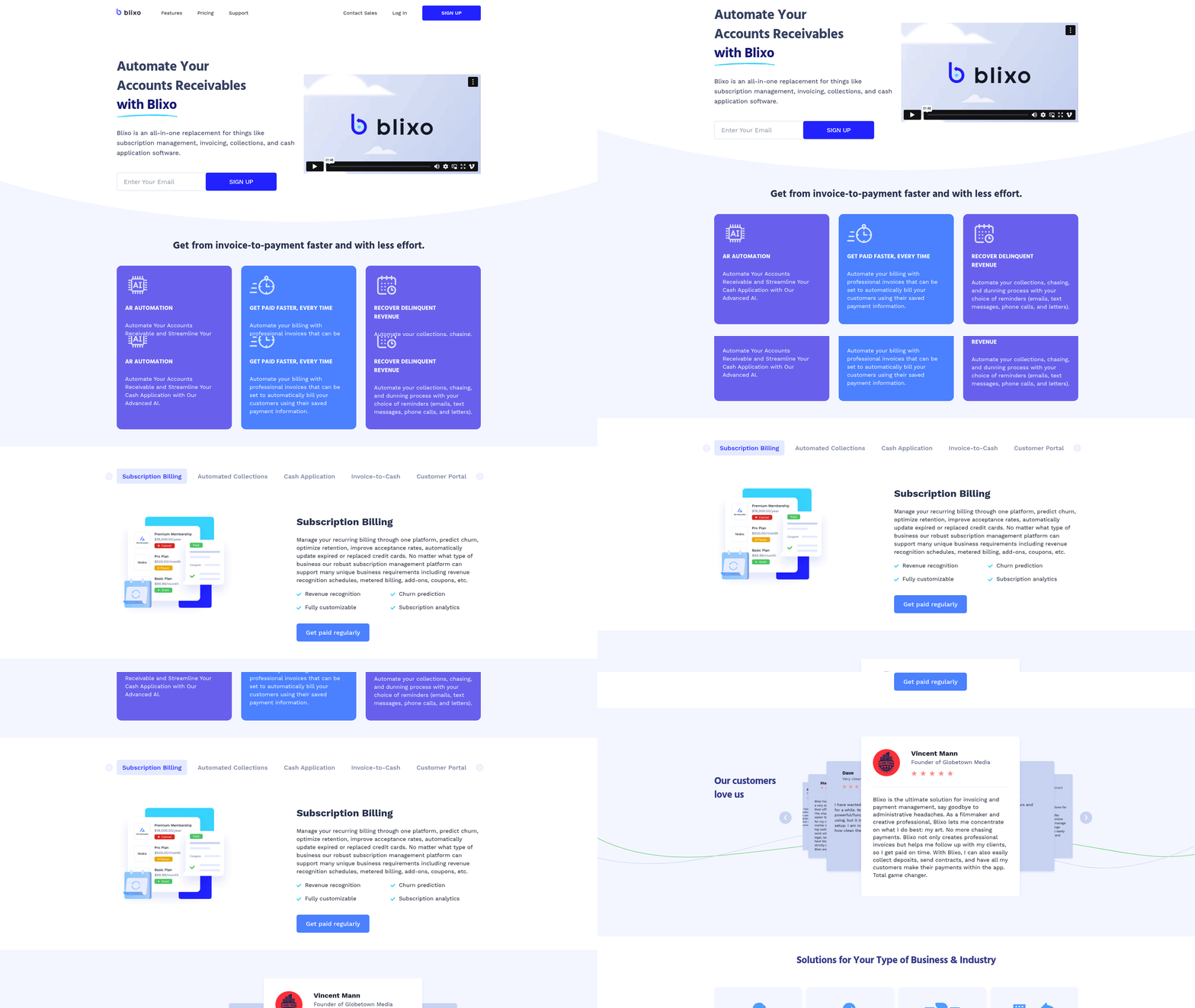
Integrating automated payments with core business systems ensures seamless financial operations, reduces manual errors, and accelerates cash flow. For businesses using Blixo’s platform, this integration is critical for aligning payment processes with accounting, customer relationship management (CRM), and enterprise resource planning (ERP) systems. Below is a structured approach to achieving this integration, tailored to Blixo’s services and the needs of technology companies, SaaS providers, and global teams.
### 1. Integration with Accounting Software: Automating Financial Workflows
Blixo’s platform supports direct integration with accounting systems like QuickBooks, Xero, Sage Intacct, and NetSuite. This linkage automates tasks such as cash application, invoice generation, and reconciliation, reducing the need for manual data entry. For example, Blixo’s intelligent matching engine automatically matches payments to invoices using machine learning, achieving high accuracy even with complex transactions. This integration ensures real-time updates in accounting software, minimizing discrepancies and accelerating close cycles.
A key benefit is the reduction of DSO (Days Sales Outstanding). As mentioned in the Benefits of Automation for Business Efficiency section, automating invoice reminders and collections significantly improves cash flow. For instance, a SaaS company using Blixo’s integration with QuickBooks reported a 40% drop in DSO after automating recurring billing and collections. Additionally, Blixo’s approval workflow allows teams to review and validate transactions within the accounting system, maintaining compliance while streamlining operations.
“Blixo’s integration with Xero transformed our month-end close process. We no longer need to manually reconcile payments—everything syncs automatically.” – Duy, SaaS Founder
### 2. Enhancing CRM Systems with Payment Automation
Linking automated payments to CRM platforms like Salesforce or HubSpot enables businesses to centralize customer financial data alongside interaction history. See the Improving Customer Experience Through Integrated Payments section for more details on how Blixo’s customer portal enhances user satisfaction by allowing clients to view invoices, update payment methods, and make payments directly from a branded portal. This reduces the need for manual follow-ups and improves customer satisfaction.
For example, a consulting agency integrated Blixo with Salesforce to automate delinquency alerts. When a client’s payment is late, the CRM flags the account, triggering automated reminders and notifying the sales team to intervene. This proactive approach reduced overdue invoices by 30% for one agency, as noted in customer testimonials. Furthermore, Blixo’s subscription billing management syncs with CRM data to track renewal rates, churn, and lifetime value (LTV), providing actionable insights for sales and marketing teams.
### 3. ERP Integration for End-to-End Payment Processing
Enterprise resource planning (ERP) systems like Oracle, SAP, and Microsoft Dynamics require robust payment automation to manage global transactions and compliance. Blixo’s ERP integrations support features like multi-currency billing, revenue recognition, and global tax compliance, which are critical for enterprises with international operations.
A notable example is a global e-commerce company that integrated Blixo with SAP to automate recurring invoicing and cash application across 15 countries. By syncing payment data with the ERP, the company achieved 95% accuracy in financial reporting and reduced manual reconciliation efforts by 50%. Blixo’s customizable workflows also enabled teams to handle exceptions efficiently, such as adjusting invoices for currency fluctuations or tax changes.
For businesses using custom ERPs, Blixo offers tailored API integrations. These APIs allow developers to embed payment processing directly into existing ERP modules, ensuring seamless data flow without overhauling legacy systems.
### Case Study: Real-World Success with Blixo
Company: A mid-sized SaaS provider managing subscriptions for 10,000+ clients. Challenge: Manual invoicing and collections caused delays in cash flow, while fragmented data across QuickBooks and Salesforce led to inefficiencies. Solution: The company integrated Blixo with QuickBooks for automated cash application and Salesforce for payment tracking. Blixo’s AI-powered collections sent automated reminders via email and SMS, while the CRM logged payment statuses for the sales team. Result:
- 45% reduction in time spent on collections.
- 35% increase in on-time payments.
- Zero manual reconciliation for recurring invoices.
“Blixo eliminated the chaos of managing subscriptions. Our finance and sales teams now work with unified data, and we recover revenue faster than ever.” – Matthew Schwartz, Founder of Elemental Deodorant
See the Case Studies: Real-World Examples of Automated Payment Systems in Action section for similar success stories across industries.
### Pricing and Implementation Considerations
Blixo’s Team and Business plans (starting at $49.99/month) include integrations with major accounting and CRM tools. For enterprises, custom ERP integrations require a dedicated implementation plan, with pricing based on volume and complexity. The platform also supports API webhooks for developers to build custom workflows, ensuring flexibility for businesses with unique requirements.
While Blixo excels in automation, its value lies in how deeply it connects to core systems. By unifying payment data with accounting, CRM, and ERP platforms, businesses gain visibility into financial health, reduce operational friction, and focus on growth.
Case Studies: Real-World Examples of Automated Payment Systems in Action
Automated payment systems transform industries by streamlining workflows and reducing manual effort. Let’s explore real-world examples from healthcare and e-commerce, along with insights from companies that have successfully adopted these tools.
Healthcare: Streamlining Payment Processing with AI-Powered Automation
A mid-sized healthcare provider struggled with delayed reimbursements and manual invoice matching. After implementing Blixo’s AI-powered cash application and automated collections, the organization reduced payment processing time by 40% and decreased delinquencies by 30%. By integrating Blixo with their existing ERP system, as discussed in the [Integrating Automated Payments with Core Business Systems] section, the provider automated matching patient payments to invoices, resolving 95% of transactions without human intervention. This allowed staff to focus on patient care rather than chasing payments.
The system also enabled proactive collections through automated reminders via email and SMS. For example, when a patient missed a payment, the platform triggered tiered reminders and even connected the provider to a dedicated collections team for complex cases. According to internal metrics, this approach improved first-attempt payment rates from 65% to 82%.
“Automating our receivables with Blixo gave us visibility into outstanding balances and freed up 20 hours a week for our finance team,” said a clinic administrator.
E-Commerce: Boosting Customer Satisfaction with Subscription Billing
An organic deodorant brand, Elemental Deodorant, faced high churn due to manual subscription management and payment failures. By adopting Blixo’s subscription billing and customer portal, as highlighted in the [Benefits of Automation for Business Efficiency] section, the company allowed customers to update payment methods, pause shipments, or adjust billing cycles in real time. This reduced failed payment rates by 50% and increased customer retention by 25%.
The platform’s recurring invoice generation and auto-billing features ensured customers were charged seamlessly, while the hosted portal reduced support requests by 40%. For instance, customers could view past orders, download invoices, or pay multiple bills in one transaction without leaving the brand’s branded interface.
“Blixo’s subscription tools let us focus on product innovation instead of payment errors,” shared Matthew Schwartz, founder of Elemental Deodorant.
Lessons and Challenges from Real-World Implementations
While results are compelling, companies often face hurdles during adoption. One common challenge is integrating automated systems with legacy software. For example, a healthcare provider initially struggled to sync Blixo with their outdated accounting platform. The solution involved custom API development and phased migration, emphasizing the need for technical support during implementation, as detailed in the [Common Challenges and How to Overcome Them] section.
Another lesson: data accuracy is critical. A misconfigured rule in an e-commerce platform’s automated collections once triggered excessive reminders, frustrating customers. Teams learned to test workflows rigorously and leverage machine learning tools like Blixo’s intelligent matching engine to refine rules over time.
Regulatory compliance also demands attention. Healthcare organizations, for instance, must ensure automated systems adhere to HIPAA requirements for patient data. Solutions like Blixo address this by offering secure, auditable payment trails and encryption for sensitive information.
Broader Industry Insights
Beyond individual cases, states like South Carolina have adopted automated systems for public-sector payments. The South Carolina Automated Payment System (SCAPS) handles transactions for health and nutrition programs, reducing manual processing errors by 60% and accelerating payments to vendors. Such systems highlight how automation scales efficiency across large, complex workflows.
For businesses, the takeaway is clear: while challenges like integration and compliance require careful planning, the ROI of automated payments—measured in time saved, revenue recovered, and customer satisfaction—makes it a strategic priority. By leveraging platforms like Blixo, companies can turn payment workflows from a liability into a competitive advantage.
Choosing the Right Automated Payment Solution
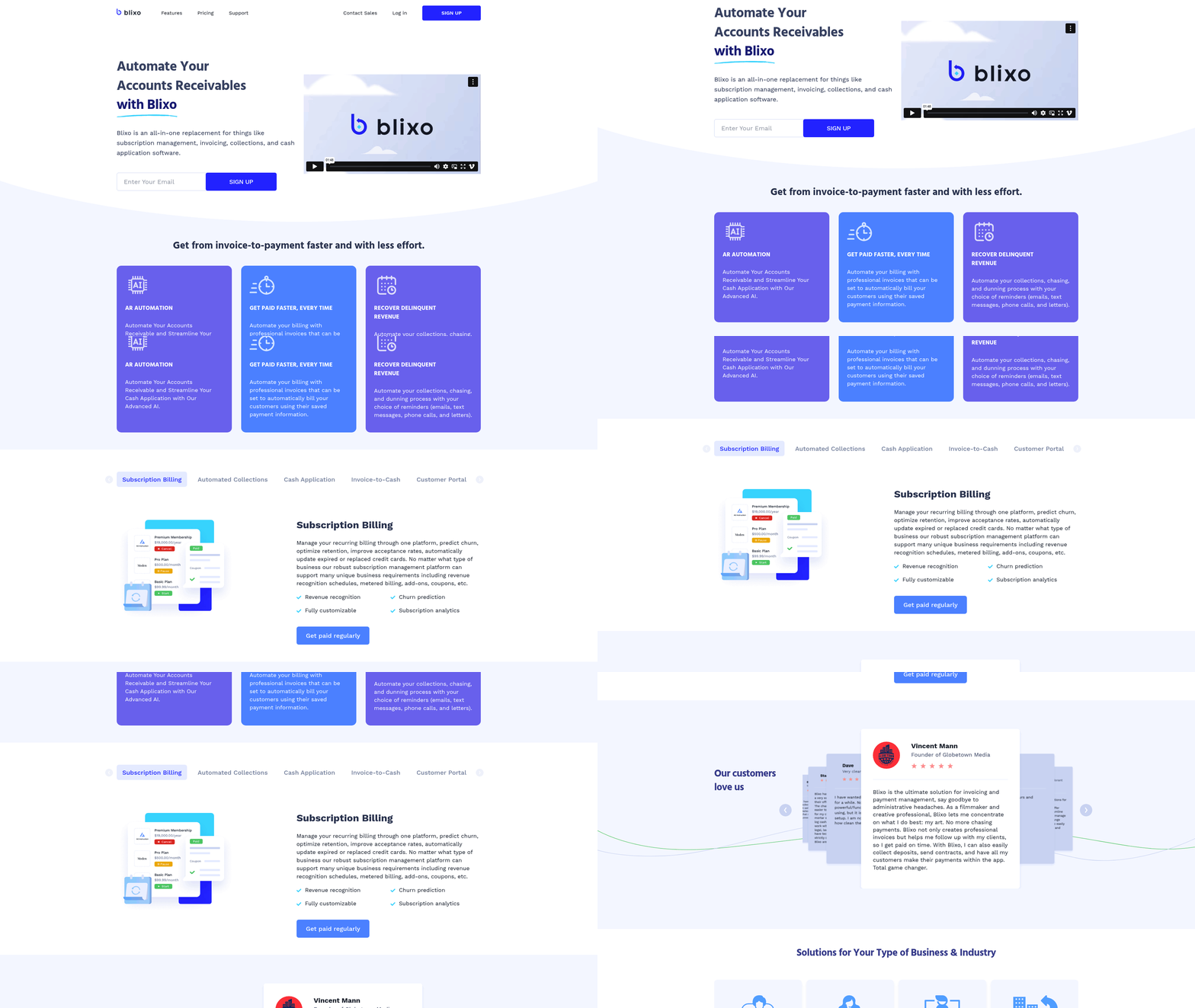
When selecting an automated payment solution, businesses must evaluate features that align with their operational needs. A robust system should streamline core processes like invoicing, collections, and cash application while integrating seamlessly with existing tools. For example, AI-powered cash application reduces manual reconciliation by automatically matching payments to invoices, as seen in platforms like Blixo, which claims 98%+ match rates through machine learning (based on user testimonials). See the [Benefits of Automation for Business Efficiency] section for more details on how automation improves accuracy and reduces administrative burdens. Prioritize tools that offer automated collections workflows, such as customizable dunning rules for late payments, to reduce revenue leakage. Platforms like Blixo also support multi-channel reminders (SMS, email, phone) to improve payment speed, a feature highlighted by user Stacey for its effectiveness in service-based industries.
Pricing Models and Cost Considerations
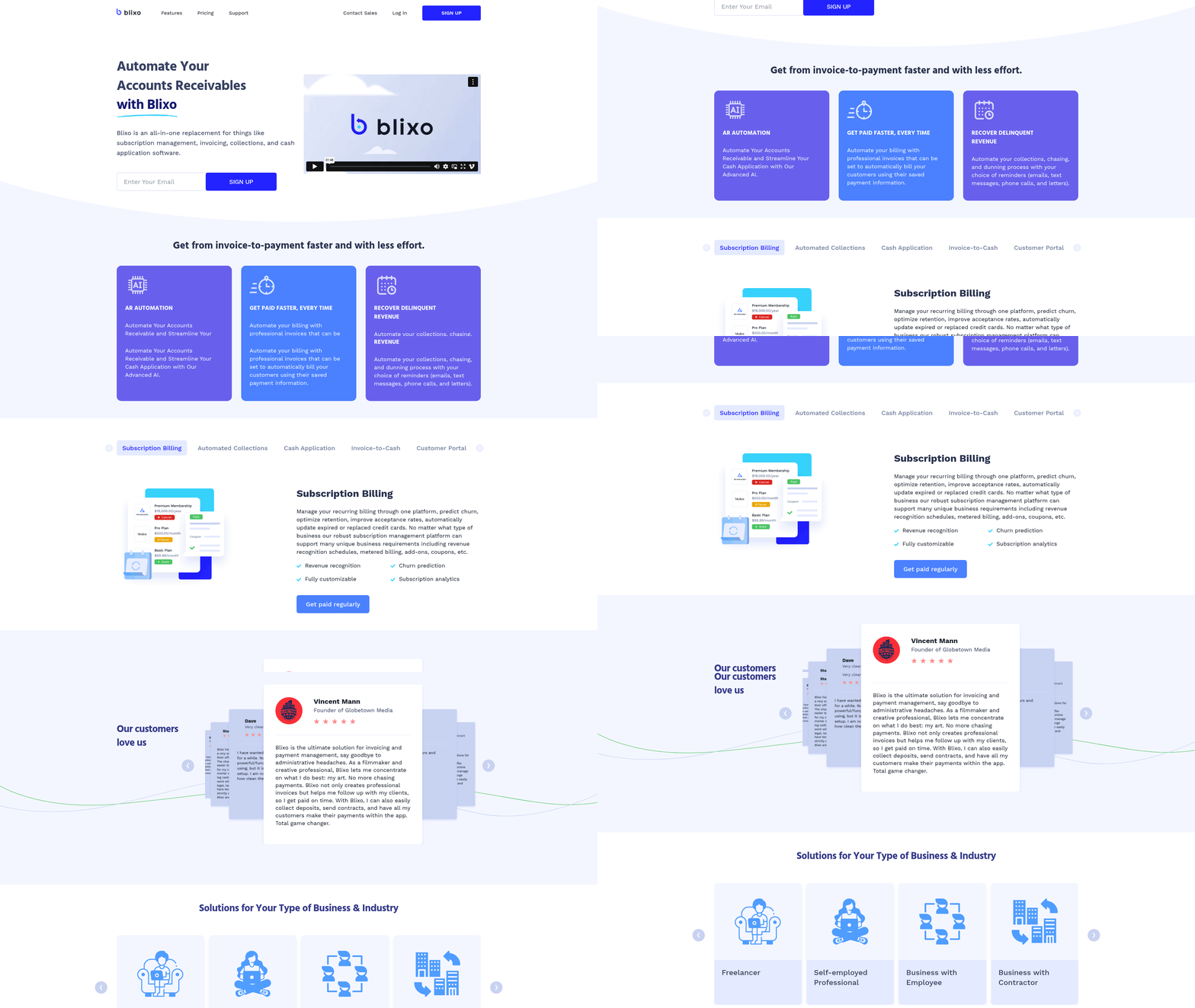
Cost structures vary widely, from flat-rate subscriptions to pay-per-transaction models. Blixo’s pricing, for instance, uses tiered plans starting at $49.99/month for small teams, with higher tiers offering advanced analytics and scalability for enterprises. Compare these models against your volume needs: high-transaction businesses may benefit from annual billing discounts, while startups might prefer monthly flexibility. Hidden fees—like charges for additional team members or payment gateway integrations—can add up, so scrutinize contracts carefully. For example, Blixo’s Business plan includes 5 free users, but extra seats cost $9.99/month, a detail critical for growing teams. As mentioned in the [Common Challenges and How to Overcome Them] section, hidden fees are a common pitfall to address during vendor evaluation.
Customer Support and Onboarding
A solution’s value depends on how smoothly it integrates into your workflow. Look for providers offering dedicated onboarding support, such as Blixo’s setup assistance and training sessions, which users like Duy praise for their simplicity. Responsive customer service is equally vital: platforms with 24/7 support and clear SLAs (service-level agreements) minimize downtime. Blixo’s case studies, such as Eleken’s transition to automated subscriptions, highlight how rapid onboarding reduces learning curves for teams. Additionally, consider self-service resources like knowledge bases or video tutorials—Blixo’s explainer video, for example, helps users grasp complex features quickly.
Case Studies: Real-World Success
Real-world examples illustrate how automated payments solve specific challenges. Globetown Media, a creative agency, adopted Blixo to automate invoicing and collections, reducing administrative time by 40% and accelerating cash flow. Similarly, Elemental Deodorant leveraged Blixo’s subscription billing tools to manage recurring orders, enabling customers to adjust billing intervals directly through the platform. For businesses facing international payroll complexity, Blixo’s multi-currency support and compliance features helped a global remote team cut payroll errors by 65%. Building on concepts from the [Case Studies: Real-World Examples of Automated Payment Systems in Action] section, these examples underscore the importance of tailoring solutions to pain points like scalability, compliance, and user experience.
When evaluating options, balance feature sets with cost and support quality. Start with a free demo or trial to test workflows, and prioritize platforms that offer flexibility as your business grows.
Common Challenges and How to Overcome Them
Automated payment systems streamline financial workflows but come with hurdles that require strategic solutions. Below, we break down common challenges and practical strategies to address them, using real-world examples and insights from industry sources.
### Security Concerns and Mitigation Strategies
One of the top concerns with automated payment systems is data security. Sensitive financial data becomes a prime target for breaches, especially with the rise of cyberattacks. For example, a 2024 FinTech study highlights how ERP integrations with payment systems must prioritize encryption and compliance to avoid vulnerabilities .
To mitigate risks, businesses should adopt end-to-end encryption and tokenization to protect payment data. Blixo, for instance, uses AI-driven fraud detection to flag suspicious transactions in real time, reducing the risk of unauthorized access [blixo.com]. Additionally, compliance with standards like PCI-DSS and GDPR ensures legal safeguards. Regular audits and multi-factor authentication further strengthen security layers, as noted in Stripe’s automated payment guide . See the Implementation Steps for Setting Up Automated Payments section for more details on selecting security-compliant solutions.
“I’ve wanted to overhaul my subscription setup for a while. Not only is Blixo 10x more powerful/functional than what I have been using, but it is a lot more straightforward to set up.” — Dave, Blixo User
### Integration Complexity and Solutions
Integrating automated payment systems with existing software—like accounting tools or ERPs—often leads to friction. Legacy systems may lack modern APIs, causing delays in deployment. A 2024 FinTech report emphasizes that fragmented payment infrastructures complicate global payroll and billing workflows .
The solution lies in pre-built integrations and flexible APIs. Blixo supports direct connections with platforms like QuickBooks, Xero, and NetSuite, reducing manual data entry [blixo.com]. For custom needs, tools like Neutron’s programmable API allow developers to automate Bitcoin settlements while operations teams manage workflows . See the Integrating Automated Payments with Core Business Systems section for a deeper dive on streamlining these integrations. Start with a phased rollout: test integrations in a sandbox environment before full deployment to identify compatibility issues early.
### Customer Adoption and Engagement
Even the most robust system fails if users resist adopting it. Resistance often stems from unfamiliarity with automated workflows or distrust in digital payments. A service-based business owner noted that clients initially preferred cash or checks, complicating collections [blixo.com].
To boost adoption, prioritize user education and seamless onboarding. Blixo’s customer portal, for instance, lets clients view invoices, update payment methods, and manage subscriptions in one place, reducing friction [blixo.com]. Building on concepts from the Improving Customer Experience Through Integrated Payments section, automate reminders via email or SMS—Stacey, a service business owner, credits Blixo’s “chasing” feature with improving payment timeliness [blixo.com]. Offering multiple payment options (ACH, credit cards, checks) also caters to diverse user preferences.
### Case Studies: Real-World Successes
Globetown Media faced administrative chaos managing payments for global film projects. By adopting Blixo’s automated invoicing and collections, they reduced manual tracking by 70% and ensured timely payments via AI-driven reminders [blixo.com].
Elemental Deodorant, an e-commerce brand, streamlined subscription billing with Blixo’s recurring payment system. The platform’s integration with Shopify allowed customers to adjust billing intervals and update payment info effortlessly, boosting retention [blixo.com].
These examples align with Deel’s approach to automating global payroll across 100+ countries, proving that structured automation scales efficiently .
By addressing security, integration, and adoption challenges with targeted solutions, businesses can unlock the full potential of automated payment systems. Tools like Blixo provide the infrastructure, but strategic implementation—backed by education and flexibility—ensures long-term success.
References
[1] Payment automation: A guide for businesses | Stripe - https://stripe.com/resources/more/automated-payment-systems-explained
[2] What is an Automated Payment System? | Medius - https://www.medius.com/glossary/what-is-an-automated-payment-system/
[3] Automated Standard Application for Payments (ASAP) - https://fiscal.treasury.gov/asap/
[4] Transform Your Business with Payment Automation Solutions - https://www.paystand.com/blog/payment-automation
[5] SCAPS (South Carolina Automated Payment System) and KPI (Key … - https://ed.sc.gov/districts-schools/health-and-nutrition/scaps-south-carolina-automated-payment-system-and-kpi-key-performance-indicators/
[6] South Carolina Automated Payment System - https://scaps.cnpus.com/scdoe/Splash.aspx
[7] Automated Payment Systems explained | Checkout.com - https://www.checkout.com/blog/automated-payment-systems-explained
[8] Missouri Automated Child Support System Payment Information - https://apps.dss.mo.gov/ChildSupportPaymentInformation/
[9] EFTPS: The Electronic Federal Tax Payment System | Internal … - https://www.irs.gov/payments/eftps-the-electronic-federal-tax-payment-system
[10] (PDF) FinTech - Automatic Payment Process in the ERP System - https://www.researchgate.net/publication/378154061_FinTech_-_Automatic_Payment_Process_in_the_ERP_System
[11] Tweet by @thierryEdde44 (Thierry Edde) - https://twitter.com/thierryEdde44/status/2010348141510262895
[12] Tweet by @neutron__me (Neutron) - https://twitter.com/neutron__me/status/2010954970468925832
[13] Tweet by @MatthewOlapo (Honorable) - https://twitter.com/MatthewOlapo/status/2010623533865476430
Frequently Asked Questions
1. What are automated payment systems, and how do they streamline financial workflows?
Automated payment systems replace manual financial processes with technology-driven solutions to manage tasks like invoicing, payments, and collections. They reduce errors, save time, and improve efficiency by automating repetitive workflows. For example, platforms like Blixo use AI-powered tools such as intelligent matching engines and automated collections workflows to handle accounts receivable, subscription billing, and global compliance, enabling businesses to focus on growth.
2. What are the key benefits of implementing automated payment systems?
The primary benefits include reduced manual errors, faster processing times, improved cash flow visibility, and enhanced customer experiences. Systems like Blixo reduce manual reconciliation by up to 80% and cut delinquency rates by 30% for users in industries like legal services and consulting. Additionally, features like recurring billing and global compliance support help businesses scale efficiently while maintaining compliance in complex markets.
3. Which industries are best suited for automated payment systems?
Automated payment systems are ideal for industries with high transaction volumes or global operations, such as technology, SaaS, e-commerce, consulting, and legal services. Blixo, for instance, is designed for SaaS companies, startups, and remote teams, offering tailored solutions like subscription billing, international payroll support, and brandable customer portals to address sector-specific challenges.
4. How long does it typically take to implement an automated payment system like Blixo?
Implementation timelines vary based on system complexity and integration needs. For Blixo, basic features like the customer portal can be set up in as little as one week, while more complex solutions such as integration with ERP systems may take 3–6 months. Subscription billing and automated collections typically require 2–4 weeks and 1–3 weeks, respectively, depending on the business’s size and technical infrastructure.
5. What challenges should businesses consider when integrating automated payment systems?
Key challenges include integration complexity with existing financial software, data migration, and team training. For example, Blixo’s integration with ERPs, QuickBooks, and Shopify may require 3–6 months for large enterprises due to the need for custom API configurations. Additionally, businesses must ensure staff are trained to leverage advanced features like AI-driven cash application to maximize efficiency gains.
6. Can you provide an example of a business successfully using an automated payment system?
Yes, filmmaker Vincent Mann credits Blixo with eliminating payment delays in his workflow. By automating invoicing and collections, he no longer needs to chase clients for payments, allowing him to focus on creative work. This case highlights how automated systems can reduce administrative burdens and improve cash flow predictability for service-based professionals and small businesses.
7. How do automated payment systems support global compliance and scalability?
These systems help businesses navigate international regulations by automating currency conversions, tax calculations, and compliance reporting. Blixo, for instance, supports global payroll and local payment preferences, enabling companies to scale operations across regions without compromising accuracy. Its AI-driven tools also adapt to evolving compliance requirements, ensuring businesses remain compliant in multiple jurisdictions.